


The SciNexic Files
The SciNexic Files
The SciNexic Files
Sci-Fi Guides

Take the Final Frontier With You—Without Buying More Device Than You Need
The corridor lights have failed. Something is moving beyond the airlock. Unfortunately, the clearest thing on your screen is your own reflection.
Watching science fiction away from the living room asks a different question of technology: not simply “How powerful is it?” but “Can this small screen keep me inside the story?”
Gaming adds another complication. You might want a demanding game running directly on the device, a console session streamed from home, or access to a cloud-gaming service. Those are different jobs, and they do not necessarily justify the same purchase.
Our advice: choose your games and services first, then choose the hardware.
This is our researched shortlist, based on manufacturer specifications and official service documentation—not a claim of comparative hands-on testing. Recommendations are organised by use case, with UK buying considerations in mind.
The Shortlist
Your priority | Our pick | Main consideration |
|---|---|---|
A versatile iPad for entertainment and everyday use | 11-inch iPad Air, M4 | LCD rather than the Pro’s OLED display. (apple.com) |
An Android tablet balancing screen size and portability | Samsung Galaxy Tab S11 | An 11-inch AMOLED display in a 469g Wi-Fi model. (samsung.com) |
A premium screen for films and supported games | 11-inch iPad Pro, M5 | Tandem OLED and adaptive refresh rates up to 120Hz. (apple.com) |
A compact tablet primarily for native Android gaming | REDMAGIC Astra 2 | Gaming-focused hardware; verify streaming-service support separately. (uk.redmagic.gg) |
One premium phone rather than a phone and tablet | Samsung Galaxy S26 Ultra | A 6.9-inch AMOLED screen, but still phone-sized. (samsung.com) |
A lower-cost starting point within Apple’s range | iPad, A16 | An 11-inch LCD and storage starting at 128GB. (apple.com) |
These are buying directions, not benchmark podium positions.
First, Decide What “Gaming” Means
Native gaming means the game runs on your device. Check the individual game’s operating-system, hardware and controller requirements before buying.
Cloud gaming runs the game on a provider’s remote hardware. Xbox Cloud Gaming and GeForce NOW support mobile devices, but access, games and features depend on the service and membership.
Remote play streams from hardware you own. For example, PS Remote Play lets a compatible phone or tablet connect to your PS4 or PS5; it is not the same proposition as buying access to a cloud-game library.
Our buying rule is straightforward: do not pay for maximum local processing power if your intended use is mainly receiving a video stream.
1. iPad Air M4: The Sensible All-Purpose iPad
For someone who wants an entertainment tablet that can also handle other jobs, the 11-inch iPad Air is our starting point.
Apple specifies an M4 processor, 12GB of unified memory and a laminated 2360 × 1640 IPS display. The Wi-Fi model weighs 464g. Those specifications make it a credible candidate for readers combining supported iPad games with viewing, reading and creative apps.
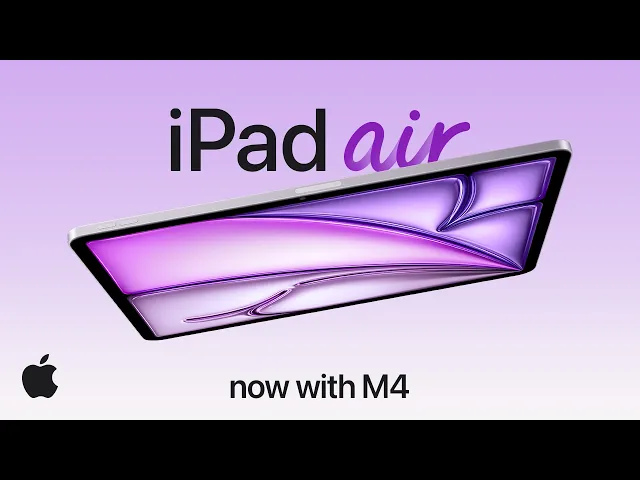
Introducing iPad Air with M4. By the Apple Inc. From @Apple
The appeal is versatility rather than having the most extravagant screen in the cabin.
The catch: the Air does not offer the iPad Pro’s tandem OLED panel or ProMotion display technology. We would not buy it expecting the same display experience as the Pro.
Who should skip it: readers buying primarily for a premium cinema screen, or those whose chosen games are unavailable on iPadOS.
SciNexic Verdict: start here if the tablet will serve several purposes. If your ambitions stop at watching episodes and playing lighter games, consider the A16 iPad below before spending more.
2. Samsung Galaxy Tab S11: Our Balanced Android Choice
The Galaxy Tab S11 is our pick for readers who want an Android entertainment tablet without making a very large display the overriding priority.
Samsung specifies an 11-inch Dynamic AMOLED 2X display, 2560 × 1600 resolution and refresh rates up to 120Hz. At 469g for the Wi-Fi model, it offers a useful middle ground between a phone and a much larger tablet.
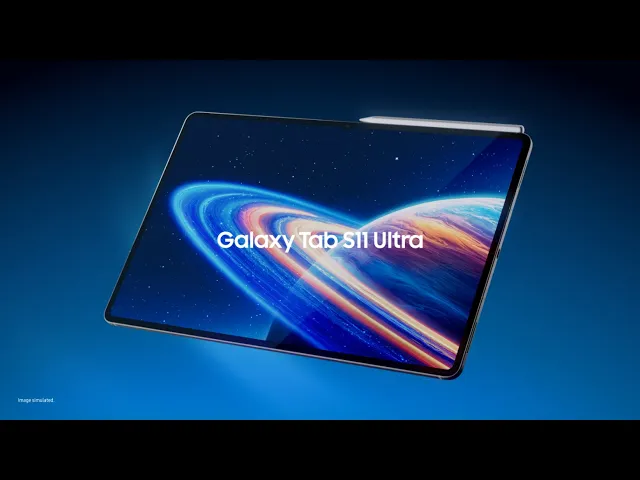
Galaxy Tab S11 Ultra : Next-Gen Wonder. By Samsung. From @SamsungIndia
There is also a practical ownership argument: Samsung’s UK specification page lists security support through 30 September 2032. That is an end date—not seven fresh years starting whenever you buy it.
The catch: a compatible fast charger may be an additional purchase; Samsung lists its 45W charger separately. Budget for a stand or case too, rather than assuming the tablet price buys the whole setup.
Who should skip it: readers committed to iPad-only software, or those wanting a small gaming-first tablet rather than an all-purpose device.
SciNexic Verdict: our balanced Android recommendation for watching, playing and keeping the device useful beyond entertainment.
3. iPad Pro M5: The Premium-Screen Choice
If the screen is the reason for the purchase, the iPad Pro has the clearest argument in Apple’s range.
The 11-inch model combines an M5 processor with a tandem OLED display, adaptive refresh rates from 10Hz to 120Hz and four-speaker audio. Apple specifies up to 1,600 nits of peak brightness for HDR content—not sustained brightness across every scene.
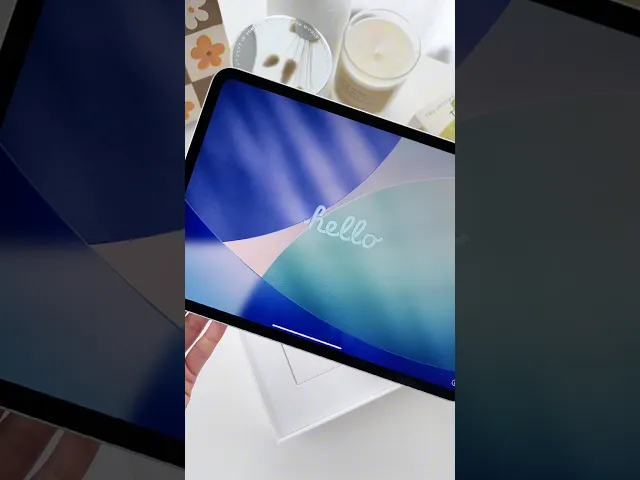
Unboxing my new iPad Pro M5 11 inch! By KKs Day. From @kksday
Our recommendation is based on that display specification, not a claim that we have measured superior shadow detail against every rival.
For a reader who wants a premium personal screen and compatible high-end games, it belongs on the shortlist.
The catch: buying more powerful hardware does not remove a streaming service’s limits. For example, NVIDIA’s mobile documentation differentiates Android’s higher-frame-rate options from the iPhone and iPad route.
Who should skip it: anyone buying mainly for cloud gaming, occasional viewing or a vague sense that “Pro” must be more future-proof.
SciNexic Verdict: buy it for the display and a specific workload—not because it sits above the Air in the catalogue.
4. REDMAGIC Astra 2: The Compact Gaming Specialist
The Astra 2 takes a more focused approach: make a small tablet around gaming hardware.
REDMAGIC lists a 9.06-inch OLED display, refresh rates up to 185Hz, a Snapdragon 8 Elite Gen 5 processor and its AquaCore Cooling System 2.0. The tablet weighs 363g. On paper, that combination makes it particularly interesting for readers who find phones cramped but larger tablets unwieldy.
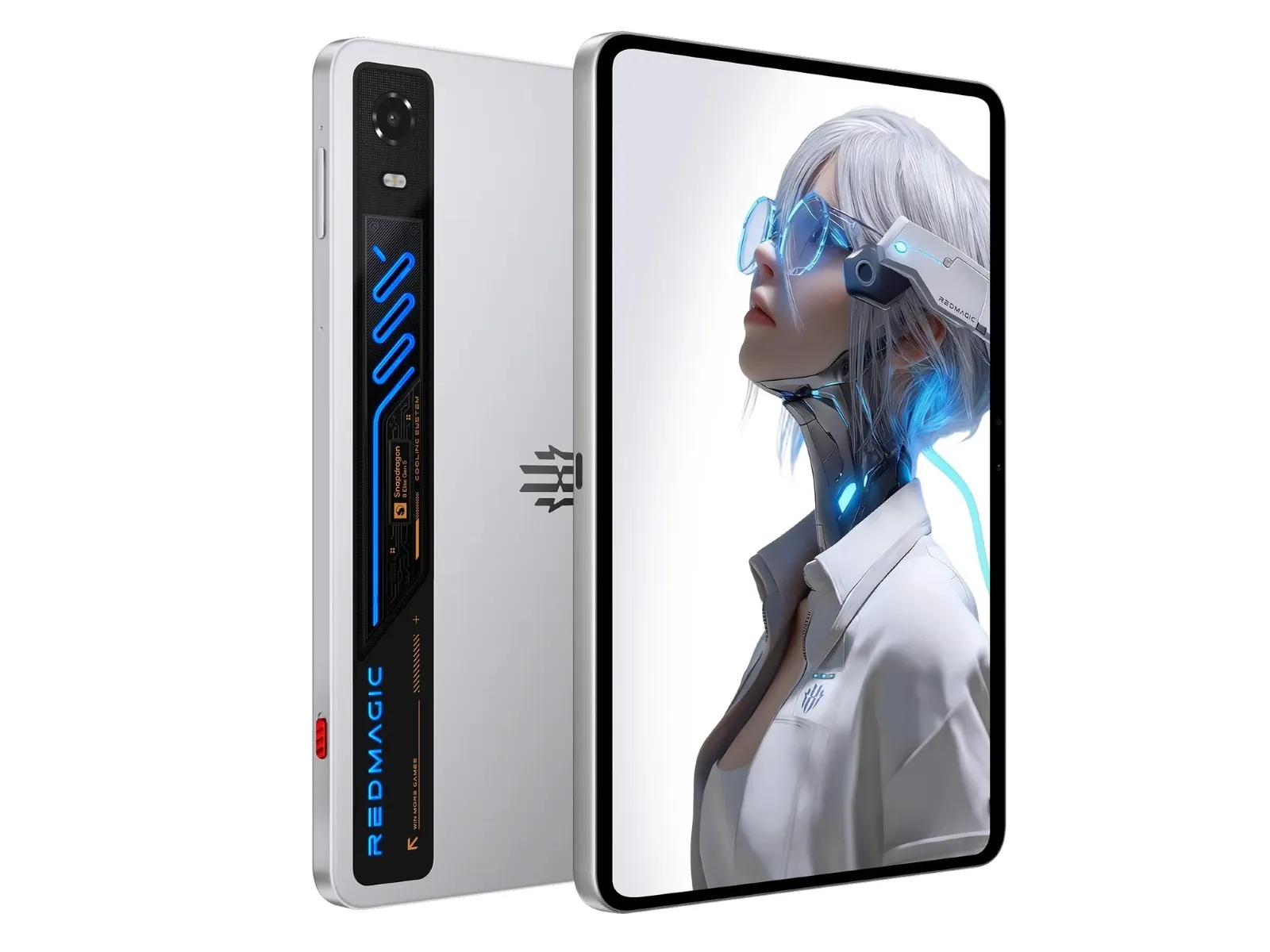
The Astra 2 packs a 185Hz OLED, 16GB RAM, 512GB storage, and 75W charging — a flagship spec sheet built for serious players. Credit: REDMAGIC
The distinction matters: these are verified specifications, not our own sustained-performance measurements. We are not declaring it the coolest-running or fastest tablet.
The catch: it has no SIM support, and REDMAGIC says a charger is not included by default outside selected promotions. We also have not established service-by-service HDR playback support for this model.
Who should skip it: anyone whose first priority is a streaming subscription rather than Android games.
SciNexic Verdict: a gaming-first shortlist choice. Before ordering, check your particular games, controller requirements and the playback quality of your essential video apps.
5. Samsung Galaxy S26 Ultra: The One-Device Premium Option
Sometimes the best mobile setup is the one you will actually carry.
The Galaxy S26 Ultra pairs a 6.9-inch QHD+ AMOLED display, adaptive refresh rates up to 120Hz and a Snapdragon 8 Elite Gen 5 for Galaxy processor. Samsung also describes a redesigned vapour chamber intended to manage heat during demanding workloads. That cooling description should not be mistaken for an independently measured performance guarantee.
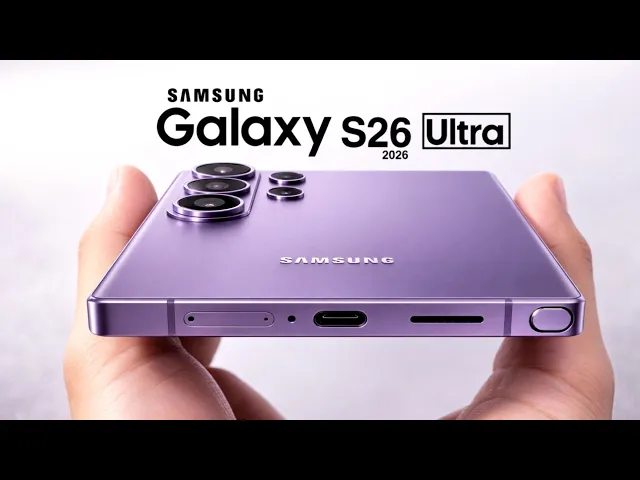
Samaung Galaxy S26 Ultra - Official Trailer. By Sam Tech. From @samtechoffical
Our reason for including it is consolidation: one premium phone for everyday use, viewing and supported Android games, rather than buying and carrying another screen.
The catch: phone-sized viewing remains phone-sized viewing. We would not spend flagship-phone money solely to avoid purchasing a modest entertainment tablet.
Who should skip it: anyone already happy with their phone, or anyone seeking a comfortable screen for shared viewing.
SciNexic Verdict: consider it when you already need a premium phone upgrade. Otherwise, try your existing phone with a compatible controller or stand first.
6. iPad A16: The Spending-Restraint Option
Not every journey needs a flagship.
The A16 iPad provides an 11-inch, 2360 × 1640 IPS display and starts with 128GB of storage. It is the simpler Apple option to consider when the brief is watching, browsing and playing compatible games—not assembling the most powerful mobile setup available.
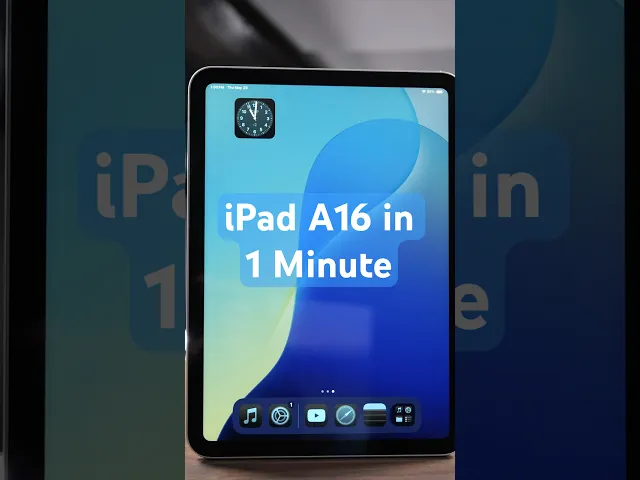
1 Minute Review of the Apple iPad A16 (11th Gen). By Adam Talks Tech. From @adamtalkstech
The catch: this is an LCD-screen recommendation, not an OLED alternative. Check demanding games individually rather than assuming that compatibility follows from the iPad name.
Who should skip it: readers with a confirmed need for a particular higher-end game, creative application or premium display feature.
SciNexic Verdict: use this as the baseline. Make every upgrade above it answer a specific question: what will the extra spending let you do—or enjoy—that matters to you?
The Compatibility Checks That Matter More Than Another Specification
An OLED screen does not guarantee HDR streaming
For Netflix on Android, Widevine L1 is required for HD playback, but HDR support is a separate consideration. Netflix explains how to inspect the app’s Playback Specification screen; do not treat a manufacturer’s display-resolution claim as proof of the stream you will receive.
On iPhone and iPad, Netflix likewise distinguishes supported resolutions and HDR capabilities, and notes that conditions such as low-power mode or a cellular connection can affect HDR playback.
For any essential service, check the exact device, subscription, app and region—not just whether an app icon exists.
Cloud-gaming platforms are not interchangeable
Service | What to Check Before Buying |
|---|---|
Xbox Cloud Gaming | Supported device/browser, an eligible plan where required, your intended games and controller support. Microsoft’s mobile guidance uses browser access. |
GeForce NOW | Game availability, membership and device-specific stream limits. NVIDIA documents up to 1440p/120fps on supported Android configurations with Ultimate; do not assume identical iPad support. |
PS Remote Play | A compatible phone/tablet, your PS4 or PS5, the required setup and an adequate connection. |
NVIDIA specifies at least 25Mbps for its listed Full HD, 60fps mobile streams and requires latency below 80ms to a data centre. Our advice is to test the service where you actually intend to play before buying new hardware around it.
Prepare an offline alternative
Netflix supports downloads of eligible titles on supported mobile devices, but availability and restrictions vary. Download something in advance and check that it plays before relying on it for a journey.
For games, verify offline operation individually. An installed game should not automatically be treated as an offline game.
Compare the complete setup
Before checking out, price the configuration you intend to use:
Enough storage for your games and downloads.
A suitable case or stand.
A compatible controller, if required.
Any missing charger.
Your chosen subscriptions.
Do not compare advertised video-playback endurance with gaming endurance. Apple and Samsung describe specific video or web-use conditions for their battery claims; those figures are not a common gaming benchmark.
What About Dedicated Handhelds?
If running your PC games locally is the priority, investigate a handheld PC rather than assuming a phone or tablet is the right category. Valve’s Steam Deck OLED, for example, combines built-in controls with a 7.4-inch HDR OLED display—but game compatibility still needs checking.
That is a gaming-led purchase. This shortlist instead prioritises devices intended to balance viewing with mobile gaming.
SciNexic Verdict: Buy For the Mission
Our starting recommendations are the iPad Air M4 for versatile iPad use and the Galaxy Tab S11 for a balanced Android entertainment setup.
Choose the iPad Pro M5 when the premium screen is the point. Consider the Astra 2 when native Android gaming comes first. Treat the Galaxy S26 Ultra as a phone upgrade, not a compulsory gaming purchase. Keep the A16 iPad in the comparison whenever the budget starts drifting.
And if your present device already plays the games and services you enjoy, start there.
The best upgrade is the one that removes a real obstacle between you and the story—not the one with the longest specification sheet.
SciNexic.com may earn a commission through affiliate links, ensuring continued cosmic content.
Take the Final Frontier With You—Without Buying More Device Than You Need
The corridor lights have failed. Something is moving beyond the airlock. Unfortunately, the clearest thing on your screen is your own reflection.
Watching science fiction away from the living room asks a different question of technology: not simply “How powerful is it?” but “Can this small screen keep me inside the story?”
Gaming adds another complication. You might want a demanding game running directly on the device, a console session streamed from home, or access to a cloud-gaming service. Those are different jobs, and they do not necessarily justify the same purchase.
Our advice: choose your games and services first, then choose the hardware.
This is our researched shortlist, based on manufacturer specifications and official service documentation—not a claim of comparative hands-on testing. Recommendations are organised by use case, with UK buying considerations in mind.
The Shortlist
Your priority | Our pick | Main consideration |
|---|---|---|
A versatile iPad for entertainment and everyday use | 11-inch iPad Air, M4 | LCD rather than the Pro’s OLED display. (apple.com) |
An Android tablet balancing screen size and portability | Samsung Galaxy Tab S11 | An 11-inch AMOLED display in a 469g Wi-Fi model. (samsung.com) |
A premium screen for films and supported games | 11-inch iPad Pro, M5 | Tandem OLED and adaptive refresh rates up to 120Hz. (apple.com) |
A compact tablet primarily for native Android gaming | REDMAGIC Astra 2 | Gaming-focused hardware; verify streaming-service support separately. (uk.redmagic.gg) |
One premium phone rather than a phone and tablet | Samsung Galaxy S26 Ultra | A 6.9-inch AMOLED screen, but still phone-sized. (samsung.com) |
A lower-cost starting point within Apple’s range | iPad, A16 | An 11-inch LCD and storage starting at 128GB. (apple.com) |
These are buying directions, not benchmark podium positions.
First, Decide What “Gaming” Means
Native gaming means the game runs on your device. Check the individual game’s operating-system, hardware and controller requirements before buying.
Cloud gaming runs the game on a provider’s remote hardware. Xbox Cloud Gaming and GeForce NOW support mobile devices, but access, games and features depend on the service and membership.
Remote play streams from hardware you own. For example, PS Remote Play lets a compatible phone or tablet connect to your PS4 or PS5; it is not the same proposition as buying access to a cloud-game library.
Our buying rule is straightforward: do not pay for maximum local processing power if your intended use is mainly receiving a video stream.
1. iPad Air M4: The Sensible All-Purpose iPad
For someone who wants an entertainment tablet that can also handle other jobs, the 11-inch iPad Air is our starting point.
Apple specifies an M4 processor, 12GB of unified memory and a laminated 2360 × 1640 IPS display. The Wi-Fi model weighs 464g. Those specifications make it a credible candidate for readers combining supported iPad games with viewing, reading and creative apps.
Introducing iPad Air with M4. By the Apple Inc. From @Apple
The appeal is versatility rather than having the most extravagant screen in the cabin.
The catch: the Air does not offer the iPad Pro’s tandem OLED panel or ProMotion display technology. We would not buy it expecting the same display experience as the Pro.
Who should skip it: readers buying primarily for a premium cinema screen, or those whose chosen games are unavailable on iPadOS.
SciNexic Verdict: start here if the tablet will serve several purposes. If your ambitions stop at watching episodes and playing lighter games, consider the A16 iPad below before spending more.
2. Samsung Galaxy Tab S11: Our Balanced Android Choice
The Galaxy Tab S11 is our pick for readers who want an Android entertainment tablet without making a very large display the overriding priority.
Samsung specifies an 11-inch Dynamic AMOLED 2X display, 2560 × 1600 resolution and refresh rates up to 120Hz. At 469g for the Wi-Fi model, it offers a useful middle ground between a phone and a much larger tablet.
Galaxy Tab S11 Ultra : Next-Gen Wonder. By Samsung. From @SamsungIndia
There is also a practical ownership argument: Samsung’s UK specification page lists security support through 30 September 2032. That is an end date—not seven fresh years starting whenever you buy it.
The catch: a compatible fast charger may be an additional purchase; Samsung lists its 45W charger separately. Budget for a stand or case too, rather than assuming the tablet price buys the whole setup.
Who should skip it: readers committed to iPad-only software, or those wanting a small gaming-first tablet rather than an all-purpose device.
SciNexic Verdict: our balanced Android recommendation for watching, playing and keeping the device useful beyond entertainment.
3. iPad Pro M5: The Premium-Screen Choice
If the screen is the reason for the purchase, the iPad Pro has the clearest argument in Apple’s range.
The 11-inch model combines an M5 processor with a tandem OLED display, adaptive refresh rates from 10Hz to 120Hz and four-speaker audio. Apple specifies up to 1,600 nits of peak brightness for HDR content—not sustained brightness across every scene.
Unboxing my new iPad Pro M5 11 inch! By KKs Day. From @kksday
Our recommendation is based on that display specification, not a claim that we have measured superior shadow detail against every rival.
For a reader who wants a premium personal screen and compatible high-end games, it belongs on the shortlist.
The catch: buying more powerful hardware does not remove a streaming service’s limits. For example, NVIDIA’s mobile documentation differentiates Android’s higher-frame-rate options from the iPhone and iPad route.
Who should skip it: anyone buying mainly for cloud gaming, occasional viewing or a vague sense that “Pro” must be more future-proof.
SciNexic Verdict: buy it for the display and a specific workload—not because it sits above the Air in the catalogue.
4. REDMAGIC Astra 2: The Compact Gaming Specialist
The Astra 2 takes a more focused approach: make a small tablet around gaming hardware.
REDMAGIC lists a 9.06-inch OLED display, refresh rates up to 185Hz, a Snapdragon 8 Elite Gen 5 processor and its AquaCore Cooling System 2.0. The tablet weighs 363g. On paper, that combination makes it particularly interesting for readers who find phones cramped but larger tablets unwieldy.
The Astra 2 packs a 185Hz OLED, 16GB RAM, 512GB storage, and 75W charging — a flagship spec sheet built for serious players. Credit: REDMAGIC
The distinction matters: these are verified specifications, not our own sustained-performance measurements. We are not declaring it the coolest-running or fastest tablet.
The catch: it has no SIM support, and REDMAGIC says a charger is not included by default outside selected promotions. We also have not established service-by-service HDR playback support for this model.
Who should skip it: anyone whose first priority is a streaming subscription rather than Android games.
SciNexic Verdict: a gaming-first shortlist choice. Before ordering, check your particular games, controller requirements and the playback quality of your essential video apps.
5. Samsung Galaxy S26 Ultra: The One-Device Premium Option
Sometimes the best mobile setup is the one you will actually carry.
The Galaxy S26 Ultra pairs a 6.9-inch QHD+ AMOLED display, adaptive refresh rates up to 120Hz and a Snapdragon 8 Elite Gen 5 for Galaxy processor. Samsung also describes a redesigned vapour chamber intended to manage heat during demanding workloads. That cooling description should not be mistaken for an independently measured performance guarantee.
Samaung Galaxy S26 Ultra - Official Trailer. By Sam Tech. From @samtechoffical
Our reason for including it is consolidation: one premium phone for everyday use, viewing and supported Android games, rather than buying and carrying another screen.
The catch: phone-sized viewing remains phone-sized viewing. We would not spend flagship-phone money solely to avoid purchasing a modest entertainment tablet.
Who should skip it: anyone already happy with their phone, or anyone seeking a comfortable screen for shared viewing.
SciNexic Verdict: consider it when you already need a premium phone upgrade. Otherwise, try your existing phone with a compatible controller or stand first.
6. iPad A16: The Spending-Restraint Option
Not every journey needs a flagship.
The A16 iPad provides an 11-inch, 2360 × 1640 IPS display and starts with 128GB of storage. It is the simpler Apple option to consider when the brief is watching, browsing and playing compatible games—not assembling the most powerful mobile setup available.
1 Minute Review of the Apple iPad A16 (11th Gen). By Adam Talks Tech. From @adamtalkstech
The catch: this is an LCD-screen recommendation, not an OLED alternative. Check demanding games individually rather than assuming that compatibility follows from the iPad name.
Who should skip it: readers with a confirmed need for a particular higher-end game, creative application or premium display feature.
SciNexic Verdict: use this as the baseline. Make every upgrade above it answer a specific question: what will the extra spending let you do—or enjoy—that matters to you?
The Compatibility Checks That Matter More Than Another Specification
An OLED screen does not guarantee HDR streaming
For Netflix on Android, Widevine L1 is required for HD playback, but HDR support is a separate consideration. Netflix explains how to inspect the app’s Playback Specification screen; do not treat a manufacturer’s display-resolution claim as proof of the stream you will receive.
On iPhone and iPad, Netflix likewise distinguishes supported resolutions and HDR capabilities, and notes that conditions such as low-power mode or a cellular connection can affect HDR playback.
For any essential service, check the exact device, subscription, app and region—not just whether an app icon exists.
Cloud-gaming platforms are not interchangeable
Service | What to Check Before Buying |
|---|---|
Xbox Cloud Gaming | Supported device/browser, an eligible plan where required, your intended games and controller support. Microsoft’s mobile guidance uses browser access. |
GeForce NOW | Game availability, membership and device-specific stream limits. NVIDIA documents up to 1440p/120fps on supported Android configurations with Ultimate; do not assume identical iPad support. |
PS Remote Play | A compatible phone/tablet, your PS4 or PS5, the required setup and an adequate connection. |
NVIDIA specifies at least 25Mbps for its listed Full HD, 60fps mobile streams and requires latency below 80ms to a data centre. Our advice is to test the service where you actually intend to play before buying new hardware around it.
Prepare an offline alternative
Netflix supports downloads of eligible titles on supported mobile devices, but availability and restrictions vary. Download something in advance and check that it plays before relying on it for a journey.
For games, verify offline operation individually. An installed game should not automatically be treated as an offline game.
Compare the complete setup
Before checking out, price the configuration you intend to use:
Enough storage for your games and downloads.
A suitable case or stand.
A compatible controller, if required.
Any missing charger.
Your chosen subscriptions.
Do not compare advertised video-playback endurance with gaming endurance. Apple and Samsung describe specific video or web-use conditions for their battery claims; those figures are not a common gaming benchmark.
What About Dedicated Handhelds?
If running your PC games locally is the priority, investigate a handheld PC rather than assuming a phone or tablet is the right category. Valve’s Steam Deck OLED, for example, combines built-in controls with a 7.4-inch HDR OLED display—but game compatibility still needs checking.
That is a gaming-led purchase. This shortlist instead prioritises devices intended to balance viewing with mobile gaming.
SciNexic Verdict: Buy For the Mission
Our starting recommendations are the iPad Air M4 for versatile iPad use and the Galaxy Tab S11 for a balanced Android entertainment setup.
Choose the iPad Pro M5 when the premium screen is the point. Consider the Astra 2 when native Android gaming comes first. Treat the Galaxy S26 Ultra as a phone upgrade, not a compulsory gaming purchase. Keep the A16 iPad in the comparison whenever the budget starts drifting.
And if your present device already plays the games and services you enjoy, start there.
The best upgrade is the one that removes a real obstacle between you and the story—not the one with the longest specification sheet.
SciNexic.com may earn a commission through affiliate links, ensuring continued cosmic content.
Take the Final Frontier With You—Without Buying More Device Than You Need
The corridor lights have failed. Something is moving beyond the airlock. Unfortunately, the clearest thing on your screen is your own reflection.
Watching science fiction away from the living room asks a different question of technology: not simply “How powerful is it?” but “Can this small screen keep me inside the story?”
Gaming adds another complication. You might want a demanding game running directly on the device, a console session streamed from home, or access to a cloud-gaming service. Those are different jobs, and they do not necessarily justify the same purchase.
Our advice: choose your games and services first, then choose the hardware.
This is our researched shortlist, based on manufacturer specifications and official service documentation—not a claim of comparative hands-on testing. Recommendations are organised by use case, with UK buying considerations in mind.
The Shortlist
Your priority | Our pick | Main consideration |
|---|---|---|
A versatile iPad for entertainment and everyday use | 11-inch iPad Air, M4 | LCD rather than the Pro’s OLED display. (apple.com) |
An Android tablet balancing screen size and portability | Samsung Galaxy Tab S11 | An 11-inch AMOLED display in a 469g Wi-Fi model. (samsung.com) |
A premium screen for films and supported games | 11-inch iPad Pro, M5 | Tandem OLED and adaptive refresh rates up to 120Hz. (apple.com) |
A compact tablet primarily for native Android gaming | REDMAGIC Astra 2 | Gaming-focused hardware; verify streaming-service support separately. (uk.redmagic.gg) |
One premium phone rather than a phone and tablet | Samsung Galaxy S26 Ultra | A 6.9-inch AMOLED screen, but still phone-sized. (samsung.com) |
A lower-cost starting point within Apple’s range | iPad, A16 | An 11-inch LCD and storage starting at 128GB. (apple.com) |
These are buying directions, not benchmark podium positions.
First, Decide What “Gaming” Means
Native gaming means the game runs on your device. Check the individual game’s operating-system, hardware and controller requirements before buying.
Cloud gaming runs the game on a provider’s remote hardware. Xbox Cloud Gaming and GeForce NOW support mobile devices, but access, games and features depend on the service and membership.
Remote play streams from hardware you own. For example, PS Remote Play lets a compatible phone or tablet connect to your PS4 or PS5; it is not the same proposition as buying access to a cloud-game library.
Our buying rule is straightforward: do not pay for maximum local processing power if your intended use is mainly receiving a video stream.
1. iPad Air M4: The Sensible All-Purpose iPad
For someone who wants an entertainment tablet that can also handle other jobs, the 11-inch iPad Air is our starting point.
Apple specifies an M4 processor, 12GB of unified memory and a laminated 2360 × 1640 IPS display. The Wi-Fi model weighs 464g. Those specifications make it a credible candidate for readers combining supported iPad games with viewing, reading and creative apps.
Introducing iPad Air with M4. By the Apple Inc. From @Apple
The appeal is versatility rather than having the most extravagant screen in the cabin.
The catch: the Air does not offer the iPad Pro’s tandem OLED panel or ProMotion display technology. We would not buy it expecting the same display experience as the Pro.
Who should skip it: readers buying primarily for a premium cinema screen, or those whose chosen games are unavailable on iPadOS.
SciNexic Verdict: start here if the tablet will serve several purposes. If your ambitions stop at watching episodes and playing lighter games, consider the A16 iPad below before spending more.
2. Samsung Galaxy Tab S11: Our Balanced Android Choice
The Galaxy Tab S11 is our pick for readers who want an Android entertainment tablet without making a very large display the overriding priority.
Samsung specifies an 11-inch Dynamic AMOLED 2X display, 2560 × 1600 resolution and refresh rates up to 120Hz. At 469g for the Wi-Fi model, it offers a useful middle ground between a phone and a much larger tablet.
Galaxy Tab S11 Ultra : Next-Gen Wonder. By Samsung. From @SamsungIndia
There is also a practical ownership argument: Samsung’s UK specification page lists security support through 30 September 2032. That is an end date—not seven fresh years starting whenever you buy it.
The catch: a compatible fast charger may be an additional purchase; Samsung lists its 45W charger separately. Budget for a stand or case too, rather than assuming the tablet price buys the whole setup.
Who should skip it: readers committed to iPad-only software, or those wanting a small gaming-first tablet rather than an all-purpose device.
SciNexic Verdict: our balanced Android recommendation for watching, playing and keeping the device useful beyond entertainment.
3. iPad Pro M5: The Premium-Screen Choice
If the screen is the reason for the purchase, the iPad Pro has the clearest argument in Apple’s range.
The 11-inch model combines an M5 processor with a tandem OLED display, adaptive refresh rates from 10Hz to 120Hz and four-speaker audio. Apple specifies up to 1,600 nits of peak brightness for HDR content—not sustained brightness across every scene.
Unboxing my new iPad Pro M5 11 inch! By KKs Day. From @kksday
Our recommendation is based on that display specification, not a claim that we have measured superior shadow detail against every rival.
For a reader who wants a premium personal screen and compatible high-end games, it belongs on the shortlist.
The catch: buying more powerful hardware does not remove a streaming service’s limits. For example, NVIDIA’s mobile documentation differentiates Android’s higher-frame-rate options from the iPhone and iPad route.
Who should skip it: anyone buying mainly for cloud gaming, occasional viewing or a vague sense that “Pro” must be more future-proof.
SciNexic Verdict: buy it for the display and a specific workload—not because it sits above the Air in the catalogue.
4. REDMAGIC Astra 2: The Compact Gaming Specialist
The Astra 2 takes a more focused approach: make a small tablet around gaming hardware.
REDMAGIC lists a 9.06-inch OLED display, refresh rates up to 185Hz, a Snapdragon 8 Elite Gen 5 processor and its AquaCore Cooling System 2.0. The tablet weighs 363g. On paper, that combination makes it particularly interesting for readers who find phones cramped but larger tablets unwieldy.
The Astra 2 packs a 185Hz OLED, 16GB RAM, 512GB storage, and 75W charging — a flagship spec sheet built for serious players. Credit: REDMAGIC
The distinction matters: these are verified specifications, not our own sustained-performance measurements. We are not declaring it the coolest-running or fastest tablet.
The catch: it has no SIM support, and REDMAGIC says a charger is not included by default outside selected promotions. We also have not established service-by-service HDR playback support for this model.
Who should skip it: anyone whose first priority is a streaming subscription rather than Android games.
SciNexic Verdict: a gaming-first shortlist choice. Before ordering, check your particular games, controller requirements and the playback quality of your essential video apps.
5. Samsung Galaxy S26 Ultra: The One-Device Premium Option
Sometimes the best mobile setup is the one you will actually carry.
The Galaxy S26 Ultra pairs a 6.9-inch QHD+ AMOLED display, adaptive refresh rates up to 120Hz and a Snapdragon 8 Elite Gen 5 for Galaxy processor. Samsung also describes a redesigned vapour chamber intended to manage heat during demanding workloads. That cooling description should not be mistaken for an independently measured performance guarantee.
Samaung Galaxy S26 Ultra - Official Trailer. By Sam Tech. From @samtechoffical
Our reason for including it is consolidation: one premium phone for everyday use, viewing and supported Android games, rather than buying and carrying another screen.
The catch: phone-sized viewing remains phone-sized viewing. We would not spend flagship-phone money solely to avoid purchasing a modest entertainment tablet.
Who should skip it: anyone already happy with their phone, or anyone seeking a comfortable screen for shared viewing.
SciNexic Verdict: consider it when you already need a premium phone upgrade. Otherwise, try your existing phone with a compatible controller or stand first.
6. iPad A16: The Spending-Restraint Option
Not every journey needs a flagship.
The A16 iPad provides an 11-inch, 2360 × 1640 IPS display and starts with 128GB of storage. It is the simpler Apple option to consider when the brief is watching, browsing and playing compatible games—not assembling the most powerful mobile setup available.
1 Minute Review of the Apple iPad A16 (11th Gen). By Adam Talks Tech. From @adamtalkstech
The catch: this is an LCD-screen recommendation, not an OLED alternative. Check demanding games individually rather than assuming that compatibility follows from the iPad name.
Who should skip it: readers with a confirmed need for a particular higher-end game, creative application or premium display feature.
SciNexic Verdict: use this as the baseline. Make every upgrade above it answer a specific question: what will the extra spending let you do—or enjoy—that matters to you?
The Compatibility Checks That Matter More Than Another Specification
An OLED screen does not guarantee HDR streaming
For Netflix on Android, Widevine L1 is required for HD playback, but HDR support is a separate consideration. Netflix explains how to inspect the app’s Playback Specification screen; do not treat a manufacturer’s display-resolution claim as proof of the stream you will receive.
On iPhone and iPad, Netflix likewise distinguishes supported resolutions and HDR capabilities, and notes that conditions such as low-power mode or a cellular connection can affect HDR playback.
For any essential service, check the exact device, subscription, app and region—not just whether an app icon exists.
Cloud-gaming platforms are not interchangeable
Service | What to Check Before Buying |
|---|---|
Xbox Cloud Gaming | Supported device/browser, an eligible plan where required, your intended games and controller support. Microsoft’s mobile guidance uses browser access. |
GeForce NOW | Game availability, membership and device-specific stream limits. NVIDIA documents up to 1440p/120fps on supported Android configurations with Ultimate; do not assume identical iPad support. |
PS Remote Play | A compatible phone/tablet, your PS4 or PS5, the required setup and an adequate connection. |
NVIDIA specifies at least 25Mbps for its listed Full HD, 60fps mobile streams and requires latency below 80ms to a data centre. Our advice is to test the service where you actually intend to play before buying new hardware around it.
Prepare an offline alternative
Netflix supports downloads of eligible titles on supported mobile devices, but availability and restrictions vary. Download something in advance and check that it plays before relying on it for a journey.
For games, verify offline operation individually. An installed game should not automatically be treated as an offline game.
Compare the complete setup
Before checking out, price the configuration you intend to use:
Enough storage for your games and downloads.
A suitable case or stand.
A compatible controller, if required.
Any missing charger.
Your chosen subscriptions.
Do not compare advertised video-playback endurance with gaming endurance. Apple and Samsung describe specific video or web-use conditions for their battery claims; those figures are not a common gaming benchmark.
What About Dedicated Handhelds?
If running your PC games locally is the priority, investigate a handheld PC rather than assuming a phone or tablet is the right category. Valve’s Steam Deck OLED, for example, combines built-in controls with a 7.4-inch HDR OLED display—but game compatibility still needs checking.
That is a gaming-led purchase. This shortlist instead prioritises devices intended to balance viewing with mobile gaming.
SciNexic Verdict: Buy For the Mission
Our starting recommendations are the iPad Air M4 for versatile iPad use and the Galaxy Tab S11 for a balanced Android entertainment setup.
Choose the iPad Pro M5 when the premium screen is the point. Consider the Astra 2 when native Android gaming comes first. Treat the Galaxy S26 Ultra as a phone upgrade, not a compulsory gaming purchase. Keep the A16 iPad in the comparison whenever the budget starts drifting.
And if your present device already plays the games and services you enjoy, start there.
The best upgrade is the one that removes a real obstacle between you and the story—not the one with the longest specification sheet.
SciNexic.com may earn a commission through affiliate links, ensuring continued cosmic content.
Image Gallery
Comments
Please be kind and considerate. Any abusive or offensive comments will be sent out the airlock! Thank You.
Please be kind and considerate. Any abusive or offensive comments will be sent out the airlock! Thank You.
Join the SciNexic Crew
Related Posts
Share on Twitter
Share on Instagram
Share on Twitter
Share on Instagram
Banner Image - REDMAGIC Astra 2 image - https://uk.redmagic.gg/ - Copyright: REDMAGIC
Main Article - All images and media are the property of their respective owners.