


The SciNexic Files
Sci-Fi Guides
Build a Garden Cinema That Works After Dark—not Just in the Advert
The chairs are out. The drinks are ready. Somewhere beyond the garden fence, a starship is about to make a very bad landing.
An outdoor sci-fi night sounds wonderfully straightforward: carry out a projector, hang a screen and press play. The disappointing version begins when the sky is still bright, the picture is enormous but barely visible, and the battery warning arrives before the final act.
The better version starts with a realistic plan.
Prioritise darkness, a manageable image size and enough power for the whole film. Ambient light and screen size have a direct effect on how usable a projected picture will be; a portable projector cannot simply overpower the sun.
This is our researched shortlist, based on manufacturer specifications, support documentation and UK listings—not comparative hands-on testing. The recommendations are for temporary, dry-weather screenings, not permanent outdoor installations.
The Shortlist: Match the Projector to the Evening
Projector | Best suited to | Manufacturer-rated brightness | Projector weight | Power arrangement |
|---|---|---|---|---|
XGIMI MoGo 4 | A compact setup you will carry regularly | 450 ISO lumens | 1.31kg | Built-in battery; up to 2.5 hours in Eco mode. |
BenQ GV50 | Indoor use with occasional garden screenings | 500 ANSI lumens | 2.1kg | Built-in battery; up to 2.5 hours under BenQ’s Eco-mode test. |
Nebula Mars 3 Air | A straightforward battery option when discounted | 400 ANSI lumens | 1.693kg | Built-in battery; up to 2.5 hours in Eco mode. |
Epson Lifestudio Flex Plus EF‑72 | A home-first projector carried outside near power | 1,000 lumens white output, measured to ISO 21118 | 4kg | External power required; compatible USB-PD battery operation is supported. |
Read those brightness and runtime columns separately. The headline light output and longest battery life should not be assumed to occur together. Both XGIMI and BenQ document brightness or runtime compromises when operating away from mains power.
1. XGIMI MoGo 4: The Carry-It-With-You Choice
Listed UK price: £529 on XGIMI’s store at the research check.
The MoGo 4 belongs on the shortlist because its specifications support a genuinely compact setup: 1080p resolution, a built-in adjustable stand, automatic focus and keystone correction, Google TV with licensed Netflix, and two 6W speakers.

The MoGo 4 is small enough to travel anywhere, powerful enough to make every film feel like an event. Credit: XGIMI UK
Our recommendation is for someone who values easy transport more than the largest possible image.
The catch: its advertised 2.5-hour video runtime is an Eco-mode figure. XGIMI says it starts in Eco mode when unplugged; selecting a brighter mode reduces playback time. The advertised five-hour arrangement requires the separately purchased PowerBase Stand as well as a fully charged projector.
Who should skip it: anyone expecting a long film at maximum brightness without additional power, or a large picture before darkness.
SciNexic Verdict: a sensible compact candidate for modest after-dark screenings. Start with the projector alone; price the optional battery stand only if your intended films justify it.
2. BenQ GV50: The Indoor-and-Garden Compromise
Listed UK price: £579 on BenQ’s portable-projector page.
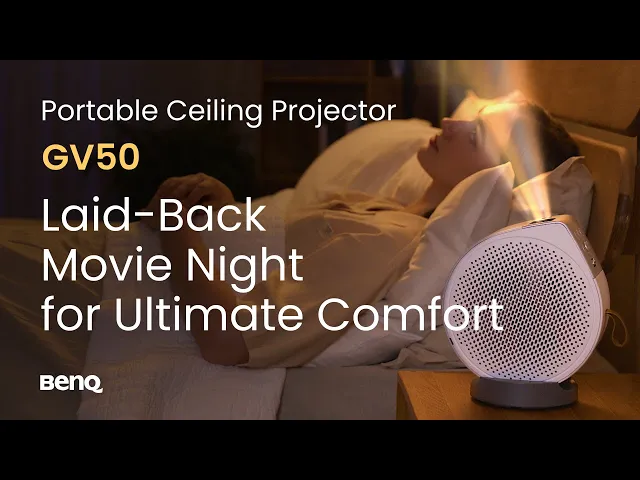
The GV50 is worth considering if outdoor cinema is an occasional excursion rather than the projector’s entire purpose. BenQ specifies a 1080p laser light source, Google TV and an adjustable design intended to accommodate different projection angles.
BenQ GV50 Portable Ceiling Projector for Laid-Back Movie Night. By BenQ Europe. From @BenQEurope
The important detail is in its power documentation.
BenQ states that, in Auto mode, general brightness on the internal battery is 70% of its supplied-adapter level. When battery charge falls below 20%, peak brightness drops to 20%. The maximum 2.5-hour runtime was measured in Eco mode while streaming YouTube.
The catch: the power bank matters too. BenQ documents substantially reduced brightness with 45–65W USB-C supplies, while higher-output compatible supplies can support full brightness. Do not assume an ordinary phone charger will deliver the experience you want.
Who should skip it: anyone buying exclusively for long, battery-only garden screenings.
SciNexic Verdict: shortlist it for mixed indoor and outdoor use. For an important movie night, favour a supported external power source rather than planning around the final minutes of its internal battery.
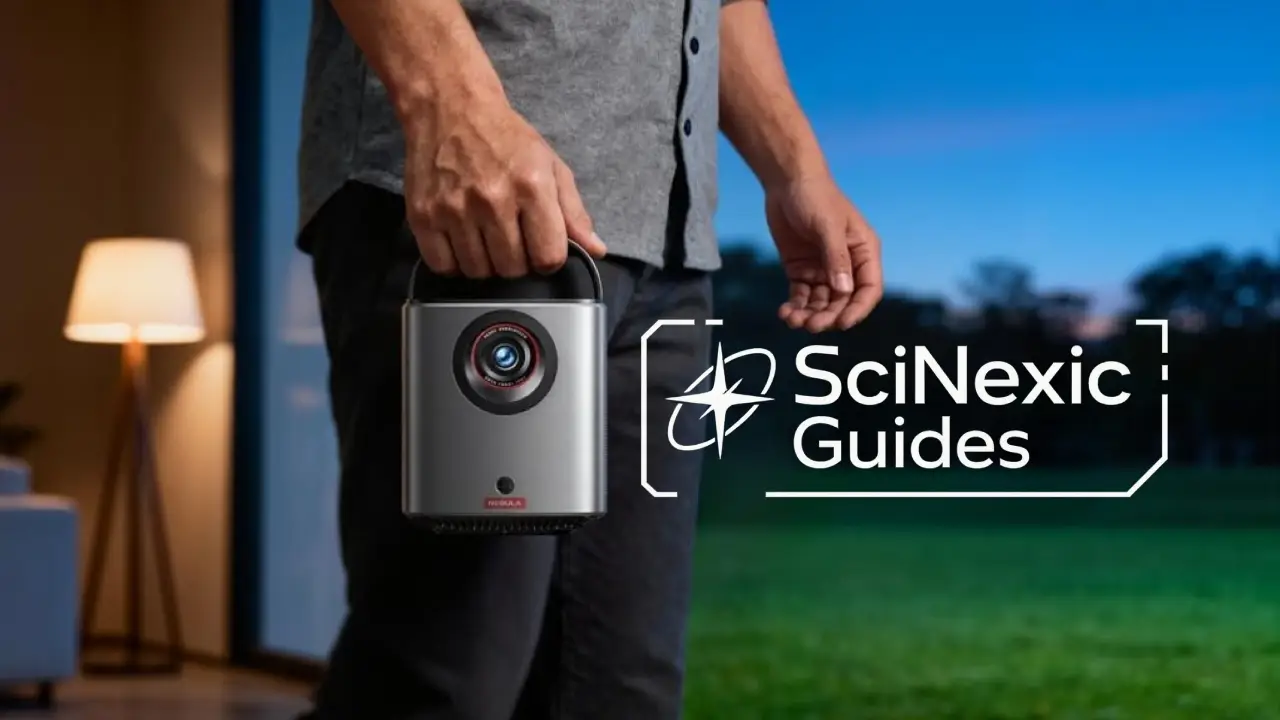
3. Nebula Mars 3 Air: The Deal-Dependent Alternative
Listed UK price: £549, with an advertised £150.01 coupon at the research check. If applicable at checkout, that would make it £398.99.
The Mars 3 Air offers a straightforward combination: 1080p projection, built-in streaming including Netflix, automatic image adjustment and dual 8W speakers. Its attraction is an integrated setup rather than a collection of separate boxes.

When the sun goes down, the Mars 3 Air transforms any outdoor space into a personal sci‑fi theatre. Credit: Anker.com
At a substantial discount, we would compare it closely with the MoGo 4 before paying for features that may not matter to a few garden screenings.
The catch: the 2.5-hour runtime is an Eco-mode claim, and Mars 3 Air is not the larger Mars 3. The Air’s own specification is 400 ANSI lumens; do not transfer brightness or weather-resistance claims from another similarly named model.
Who should skip it: readers expecting a notably brighter alternative to the other compact battery projectors.
SciNexic Verdict: a value candidate when the actual checkout price is attractive. Judge the complete package and return terms, not the size of the discount banner.
4. Epson Lifestudio Flex Plus EF‑72: The Home-First Option
Listed UK price: £1,149.99 on Epson’s store.
Not every portable projector needs to be a battery projector.
The EF‑72 combines 3LCD imaging, an LED light source, Epson’s 4K PRO-UHD technology, Google TV and built-in Bose audio. Epson specifies both white and colour light output at 1,000 lumens, using their respective measurement standards.

Powered by Bose audio, the EF‑72 doesn't just show distant worlds, it fills the night with them. Credit: Epson UK
Our reason for including it is a different buying scenario: you primarily want a projector at home, but would occasionally carry it into a suitably dark garden.
The catch: at 4kg, it is a carry-out device rather than a lightweight travel companion. It requires external power; Epson supports compatible 100W/140W USB-PD batteries, but that adds another purchase and something else to carry.
Who should skip it: anyone seeking an inexpensive, self-contained battery setup.
SciNexic Verdict: consider it when regular indoor use supports the price. We would not buy it solely for a couple of outdoor evenings each year.
How Many Lumens Do You Actually Need Outdoors?
There is no useful answer without also specifying ambient light, image size and operating mode. A smaller image in darkness places different demands on a projector from a large image beside illuminated windows.
For this shortlist, our conservative starting point is an approximately 80-inch image after dark, reduced further if necessary. That is a setup recommendation—not a promise that every projector will produce the same result in every garden. BenQ’s outdoor guidance similarly recommends considering smaller screens rather than automatically choosing 100–120 inches.
Before guests arrive:
Play a dark scene from the film you intend to watch.
Check whether faces, clothing and background objects remain distinguishable.
Reduce light falling on the screen.
Try a smaller image before turning every picture control up.
A bright menu is not a useful test of a shadow-filled spacecraft interior.
Read the Brightness Label Properly
Prefer a stated ANSI or ISO measurement over an unexplained “lumens” claim. “LED lumens” should not be treated as interchangeable with those figures, and there is no universal conversion that makes every marketing number comparable.
Even then, the quoted specification is not our measurement of a colour-accurate picture on battery power. Keep the manufacturer’s testing conditions attached to the number.
Build the Setup Around the Garden—Not the Advertised Maximum Image
1. Choose a flat, secure screen
A dedicated, tensioned screen is our preferred starting point. BenQ’s screen guidance explains why flatness and stability matter: folds, movement and uneven surfaces can affect the projected image. It also identifies wind resistance and storage as important outdoor considerations.
Our practical advice:
Check the whole frame’s dimensions, not just its advertised diagonal.
Follow the screen manufacturer’s anchoring and wind instructions.
Keep the projector on a stable support.
Treat a smaller, securely installed screen as preferable to an oversized, unstable one.
A sheet can be an experiment. It should not be the basis for judging what the projector can ultimately deliver.
2. Measure the throw distance
Throw ratio describes the relationship between lens-to-screen distance and image width. It is not based on the diagonal.
For a projector with a 1.2:1 throw ratio, such as the MoGo 4, the approximate geometry for a 16:9 image is:
Image diagonal | Image width | Lens-to-screen distance |
|---|---|---|
80 inches | 1.77m | 2.13m |
100 inches | 2.21m | 2.66m |
These are calculated planning figures before digital resizing or correction; confirm placement in the device’s instructions.
Allow room behind the lens position for the projector body, connections and required ventilation.
Position the projector as squarely to the screen as practical. Automatic keystone correction is convenient, but BenQ notes that digital correction can affect sharpness, image size and other picture characteristics.
3. Plan power for the film, setup and interruptions
Our planning rule is simple: do not schedule a screening to finish exactly at the advertised battery limit.
Allow for logging in, focusing, trailers, pauses and the brightness mode you actually want to use. The longest quoted runtimes for the battery models here rely on Eco-mode conditions.
For an external battery, check:
The required USB-PD voltage and output.
What the selected port supplies—not merely the bank’s combined headline wattage.
Cable compatibility.
Whether the projector can operate and charge simultaneously.
Any brightness restriction with that power source.
BenQ’s GV50 documentation explicitly distinguishes between supplies that can run the projector and those that can also charge its battery during use.
For a garden close to the house, a properly arranged mains supply may be more useful than buying several batteries. Outdoor electrical equipment should have RCD protection, and extension leads must be suitable for outdoor use, correctly rated, undamaged, fully unwound and kept dry.
4. Test the film—not just the connection icon
Complete updates and account sign-ins before carrying the equipment outside. Then test playback at the intended position.
Netflix advises checking projector compatibility and, where necessary, connecting a supported playback device through HDMI or an appropriate video adapter. A generic “smart projector” label is not enough to establish compatibility with your exact service and region.
Do not assume phone mirroring will rescue the evening. Netflix, for example, restricts casting or mirroring from mobile devices on its ad-supported experience.
If offline viewing matters, rehearse the complete offline playback route beforehand, including the source, adapter, projector and sound. A download visible on a phone is not, by itself, a successful projector test.
5. Make dialogue the sound test
Our first audio check would be a quiet conversation, not an explosion.
Sit in the furthest chair and decide whether you can follow dialogue at a volume you are comfortable sharing with the neighbourhood. Try the built-in speakers before purchasing another device.
If you add an external speaker, test it with the actual film and connection method. Check speech synchronisation, its own battery reserve and whether it introduces another cable across the seating area.
6. Have a weather—and temperature—exit plan
Treat the equipment as a temporary setup and follow each manufacturer’s operating limits. Portability is not permission to leave electronics outside overnight.
Dry conditions matter even without rain: Electrical Safety First specifically warns about dew and recommends keeping outdoor electrical connections dry.
Check the permitted temperature range too. XGIMI lists a 0–40°C operating range for the MoGo 4, making cold-weather limits relevant to UK screenings.
Our rule: if the screen becomes unstable or conditions turn unsuitable, end the screening and move indoors. Do not improvise a cover that obstructs the projector’s ventilation.
Budget For the Whole Evening
Before choosing between two projectors, total the setup you actually need:
Projector.
Screen and its required supports.
Stable table or suitable stand.
Approved power equipment.
Playback device and adapters, if needed.
Any genuinely necessary sound upgrade.
Then ask whether you already own part of the solution.
We would rather put a modest projector into a dark, carefully arranged setup than spend the entire budget on hardware and improvise everything around it.
SciNexic Verdict: Darkness is the First Upgrade
Choose the MoGo 4 when low weight and easy transport matter most. Consider the GV50 for mixed indoor and garden use, with its battery-brightness limits understood. Compare the Mars 3 Air when its verified checkout price makes it the better-value package. Reserve the Epson EF‑72 for a home-first purchase that will occasionally move outside.
But before buying anything, test the location.
If you cannot control light falling on the screen, cannot provide suitable power or cannot safely secure the equipment, a different evening—or an indoor screening—is the better decision.
The aim is not the biggest rectangle you can project onto a fence. It is a picture you can follow, dialogue you can hear and enough power to reach the ending.
SciNexic.com may earn a commission through affiliate links, ensuring continued cosmic content.
Research checked: 12 November 2026
Get the SciNexic Dispatch
Space sci-fi news, reviews, trailers, and release picks—straight to your inbox.
Get the dispatch
Banner Image - Soundcore Nebula Mars 3 Air promo image - www.anker.com/uk/products/mars-3-air-projectors-d2325 - Copyright: Anker Technology Ltd
Main Article - All images and media are the property of their respective owners.