


The SciNexic Files
The SciNexic Files
The SciNexic Files
Sci-Fi Guides
Every imagined universe begins somewhere surprisingly ordinary: a notebook, a spare room, a timeline filled with unfinished clips.
The challenge is turning that first idea into something another person can experience. Perhaps you are recording a discussion about The Expanse, making a short film about an abandoned research station, or building a channel around science-fiction art and analysis.
The right equipment should shorten the distance between imagination and finished work. It should not become a second project.
Essential tech for creators is about solving the next problem—not buying an entire studio at once. This researched shortlist follows that principle, covering recording, editing, computing, colour, storage and control. These are recommendations based on documented capabilities and practical use cases.
The Creator’s Shortlist
What needs improving? | Technology to consider | Buying priority |
|---|---|---|
Spoken-word recording | RØDE PodMic USB | Early, if voice is central to your work |
Editing and post-production | DaVinci Resolve | Try the free edition first |
Demanding work away from home | ASUS ProArt GoPro Edition PX13 | Only when your current computer limits you |
A dedicated editing workspace | BenQ PD2706UA | For regular desk-based production |
Project storage | Samsung Portable SSD T9 | Alongside a separate backup plan |
Repetitive controls | Elgato Stream Deck Neo | A later workflow upgrade |
1. RØDE PodMic USB: Give Your Ideas a Clear Voice
A convincing spaceship interior is impressive. A narrator who sounds as though they are speaking from inside a cupboard is less so.
The RØDE PodMic USB is a useful starting point for reviews, interviews and voiceovers. It combines USB connectivity for direct computer recording with an XLR output for a compatible interface or mixer. Its headphone connection provides direct monitoring, while the USB path includes onboard processing.
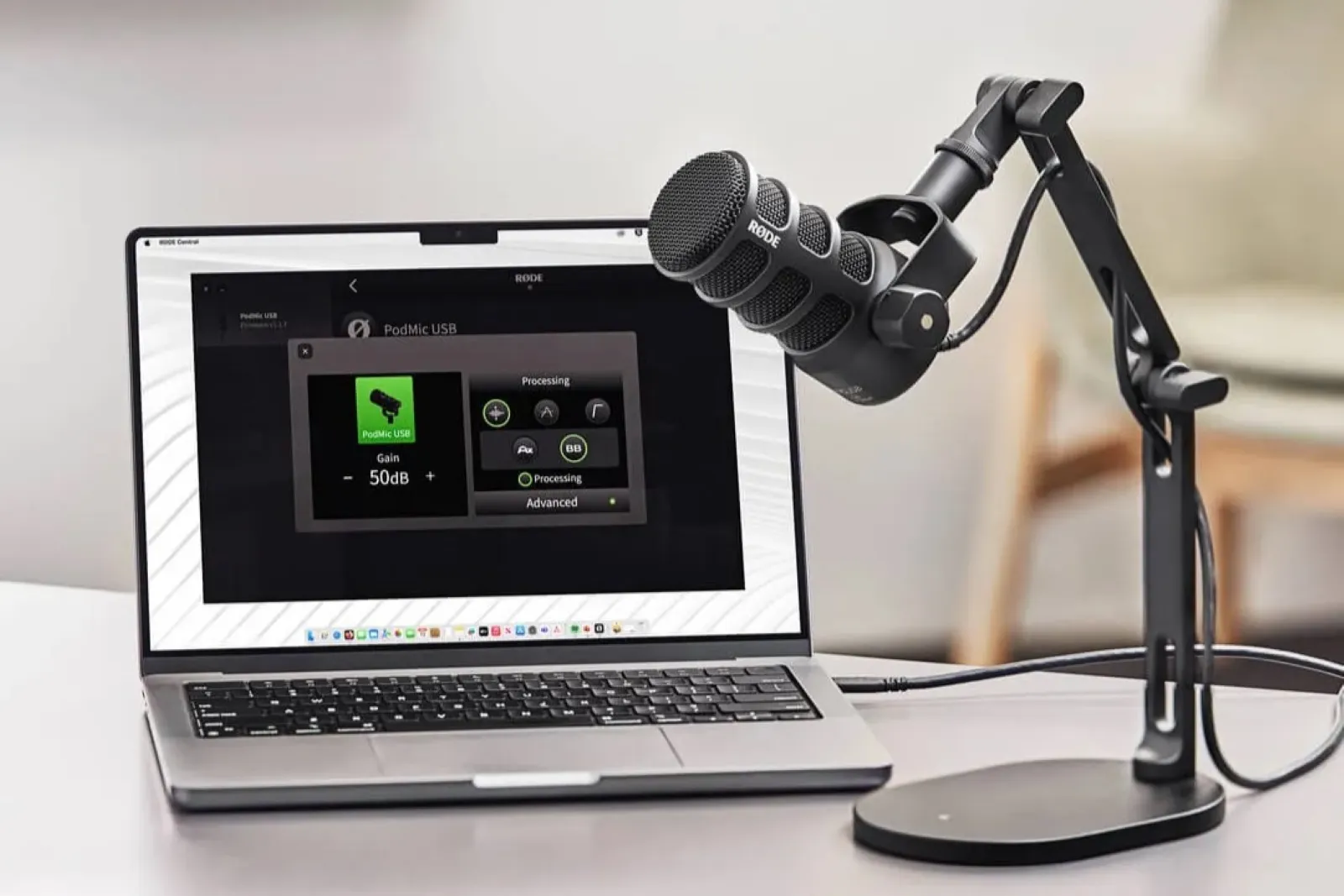
The PodMic: a desk‑friendly powerhouse that makes any setup feel intentional — plug in, shape your sound, start creating. Credit: RØDE
That flexibility matters. You can begin without a separate audio interface and retain the microphone if your setup later becomes more elaborate.
The limitation is equally important: a better microphone cannot make the room irrelevant. RØDE’s recording guidance recommends controlling reflective surfaces and positioning microphones appropriately rather than relying on equipment alone.
SciNexic buying advice: budget for a suitable stand or arm and monitor a short test recording before committing to an entire episode. Improve placement before adding aggressive processing.
2. DaVinci Resolve: Start Building Before Paying More
Before buying another piece of hardware, establish what your software already allows you to do.
DaVinci Resolve combines editing, colour work, Fusion visual effects and Fairlight audio post-production. Blackmagic offers a free edition alongside the paid Studio version. Its published comparison describes free-edition finishing at resolutions up to Ultra HD, at up to 60 frames per second.
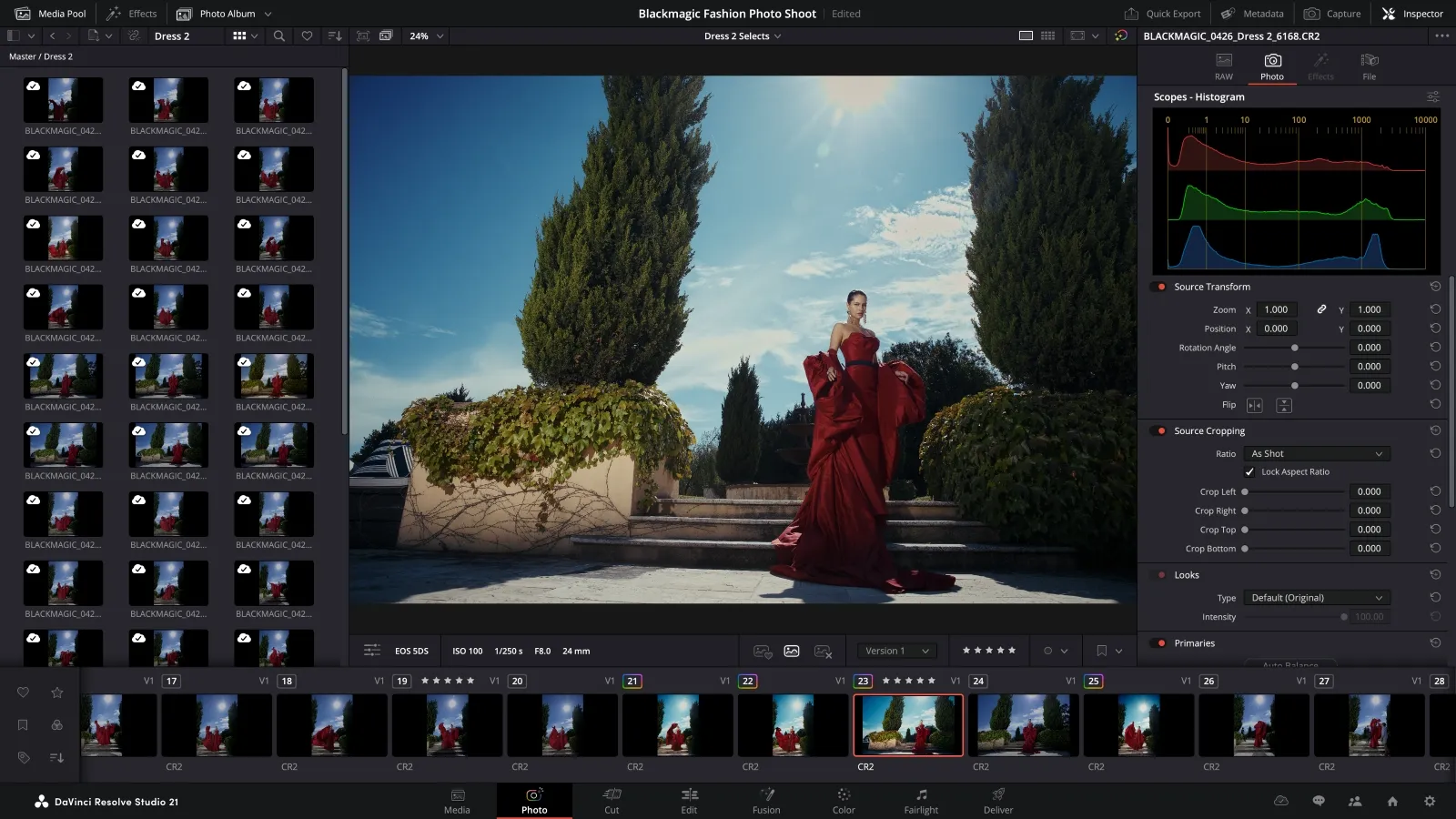
Resolve is fast, flexible, and built for momentum — a digital tool that keeps up with creators who never slow down. Credit: Blackmagicdesign.com
For a sci-fi creator, that is a substantial starting point: assemble a video essay, construct an interface graphic, refine dialogue and establish a visual mood within one application.
However, “free” does not mean identical support for every workflow. Codec, bit-depth and hardware-acceleration capabilities can differ by edition and platform; Studio also adds advanced effects and processing tools. Check your actual footage before planning a project around a feature.
SciNexic buying advice: complete a small project in the free edition first. Upgrade when you can name the capability you need—not simply because “Studio” sounds more professional.
3. ASUS ProArt GoPro Edition PX13: A Mobile Production Base
Some creators need a workstation that stays put. Others need to review footage, sketch and edit wherever the material takes them.
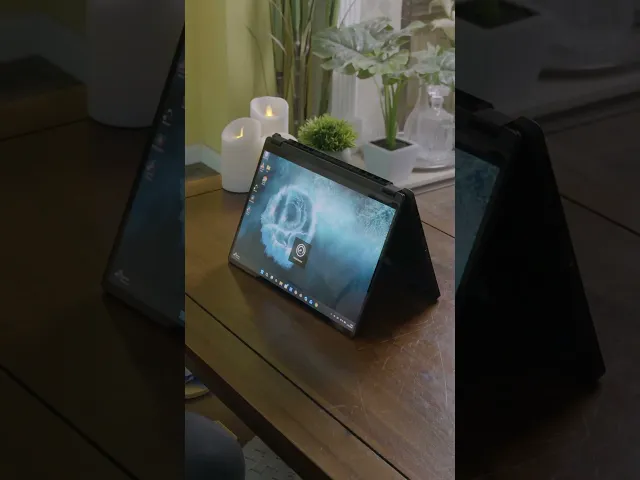
The ASUS ProArt GoPro Edition PX13 is a premium option for the second group. ASUS specifies an AMD Ryzen AI Max+ 395 processor, 128 GB of unified memory and an OLED display within a compact convertible design.
The attraction is consolidation: a portable machine intended to accommodate demanding creative work without requiring a conventional desktop setup. SciNexic’s dedicated ProArt PX13 feature explores that proposition in more detail.
The ProArt GoPro Edition PX13. By ASUS UK. From @ASUSUK
But a powerful configuration is not automatically the right purchase. A creator assembling straightforward commentary videos has different requirements from somebody working with complex effects or large 3D scenes.
SciNexic buying advice: identify the actual constraint first. Is playback slow, memory exhausted, or portability essential? Check application and plug-in compatibility, then compare the GoPro edition’s extras with what you genuinely need. Branding is not a performance requirement.
4. BenQ PD2706UA: Give the Edit Room to Breathe
A small laptop screen may suit travelling. It need not be your only workspace at home.
The BenQ PD2706UA provides a 27-inch 4K display with an ergonomic arm and USB-C connectivity. BenQ specifies 95% P3 coverage and USB-C power delivery up to 90 W. These are manufacturer specifications, not independent SciNexic measurements.
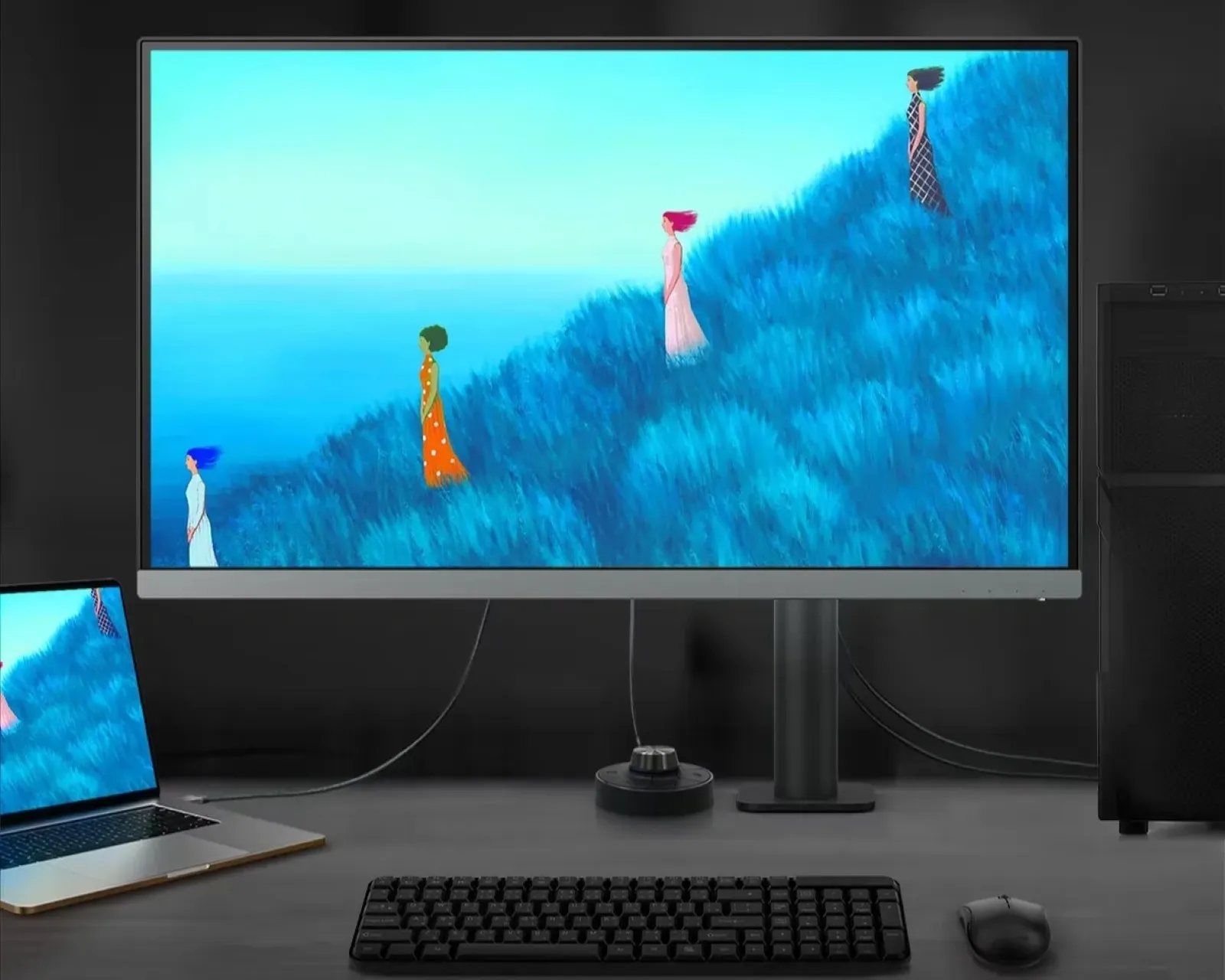
The BenQ PD2706UA exudes Clean lines, quiet hardware, and a display that elevates the room without shouting for attention. Credit: BenQ
For editing, artwork and motion graphics, the appeal is a dedicated working surface: room for a preview, timeline and controls without constantly rearranging windows.
The useful question is not whether it looks spectacular in a promotional photograph. It is whether the display supports the material and delivery format you work with.
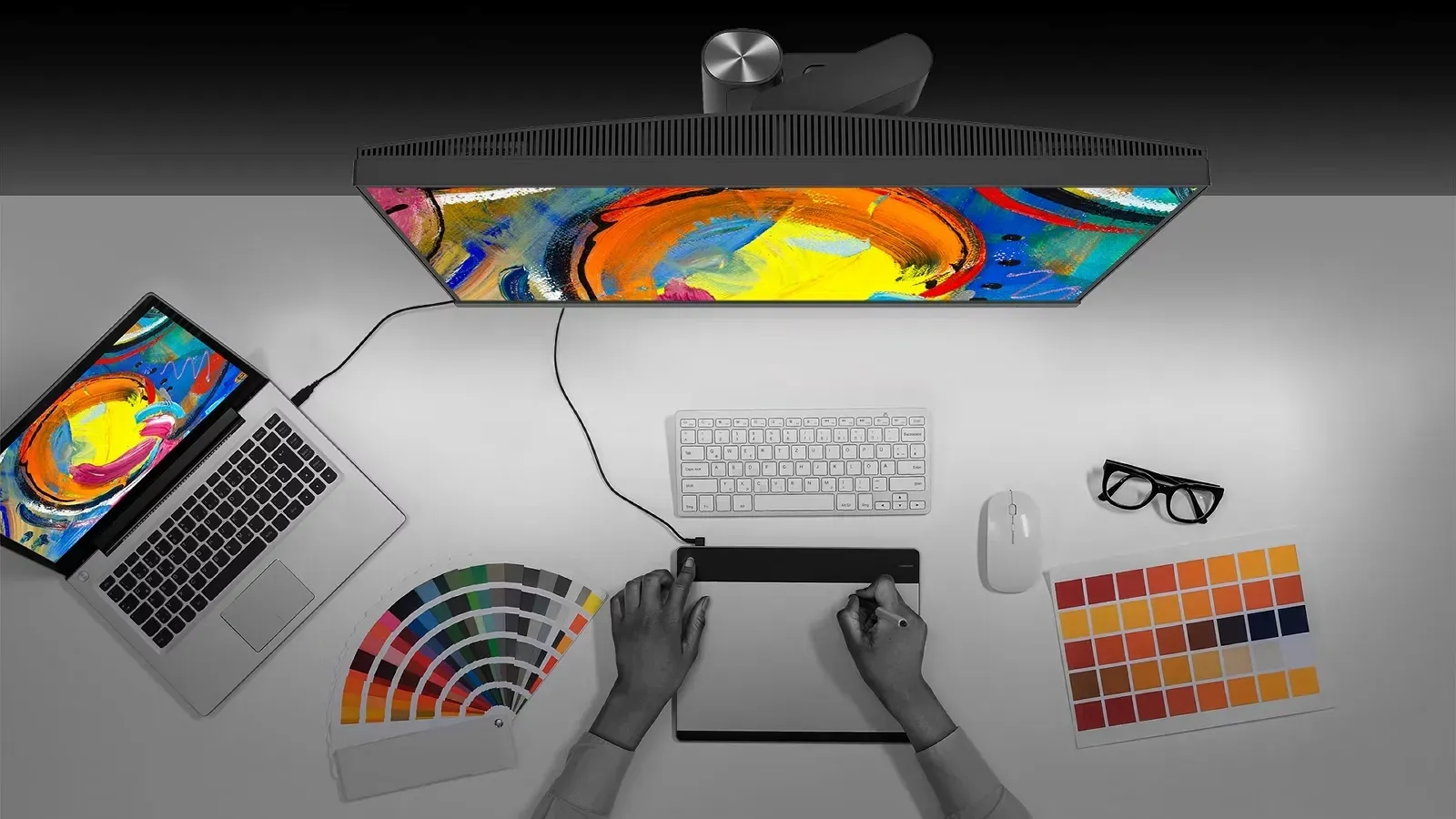
Equipped with 4K UHD clarity, Pantone‑validated colour, and a precision arm that positions the display exactly where your workflow needs it. Credit: BenQ
SciNexic buying advice: check that the supplied arm fits your desk and that your laptop supports the intended USB-C connection. Confirm charging requirements separately; 90 W is not a promise that every workstation laptop can run at full capability from the monitor alone.
5. Samsung Portable SSD T9: Protect the Work Behind the World
The least cinematic item on the desk may be the one that matters most when a deadline approaches.
Samsung’s Portable SSD T9 is worth considering for portable project storage. The 2 TB model lists sequential speeds up to 2,000 MB/s read and 1,950 MB/s write, using USB 3.2 Gen 2x2. Treat those figures as conditional maximums, not guaranteed performance through any USB-C port.
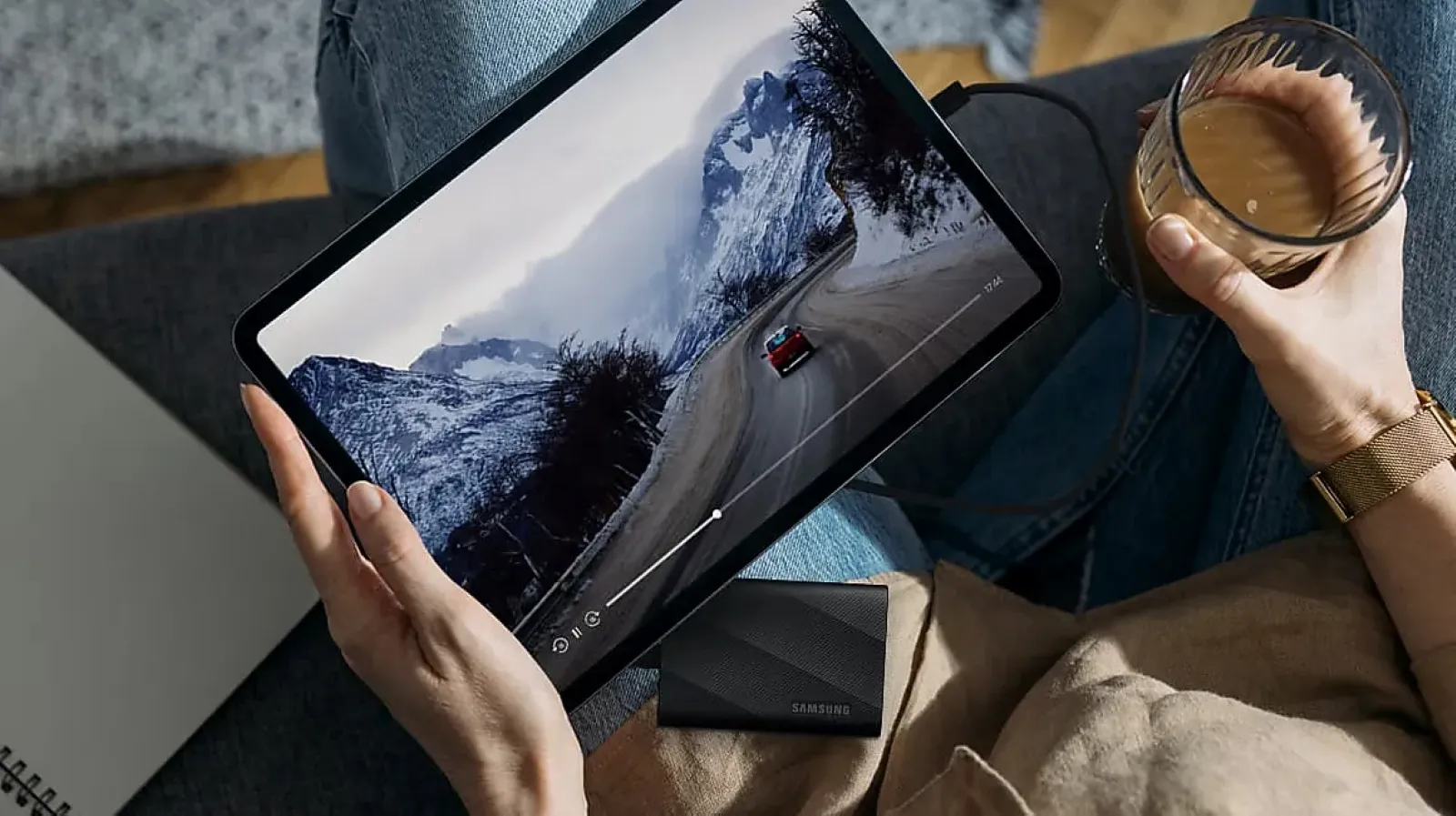
The T9 is a compact data vault built for creators who treat storage like mission‑critical infrastructure. Credit: Samsung
A project drive, however, is not automatically a backup. If the only copy of your film lives on it, you still have one copy.
CISA’s published 3-2-1 approach recommends three copies of important data, across two media types, with one copy stored offsite. (cisa.gov)
SciNexic buying advice: plan capacity and backups together. Preserve source files, project files and finished exports, and check that you can restore them. The fastest drive is little comfort if the only copy disappears.
6. Elgato Stream Deck Neo: A Small Control Panel With a Purpose
Here is the upgrade most likely to satisfy the desire for a miniature starship console.
The Elgato Stream Deck Neo provides eight customisable keys for managing applications and automating tasks. Its value comes from assigning frequently repeated actions to recognisable physical controls.
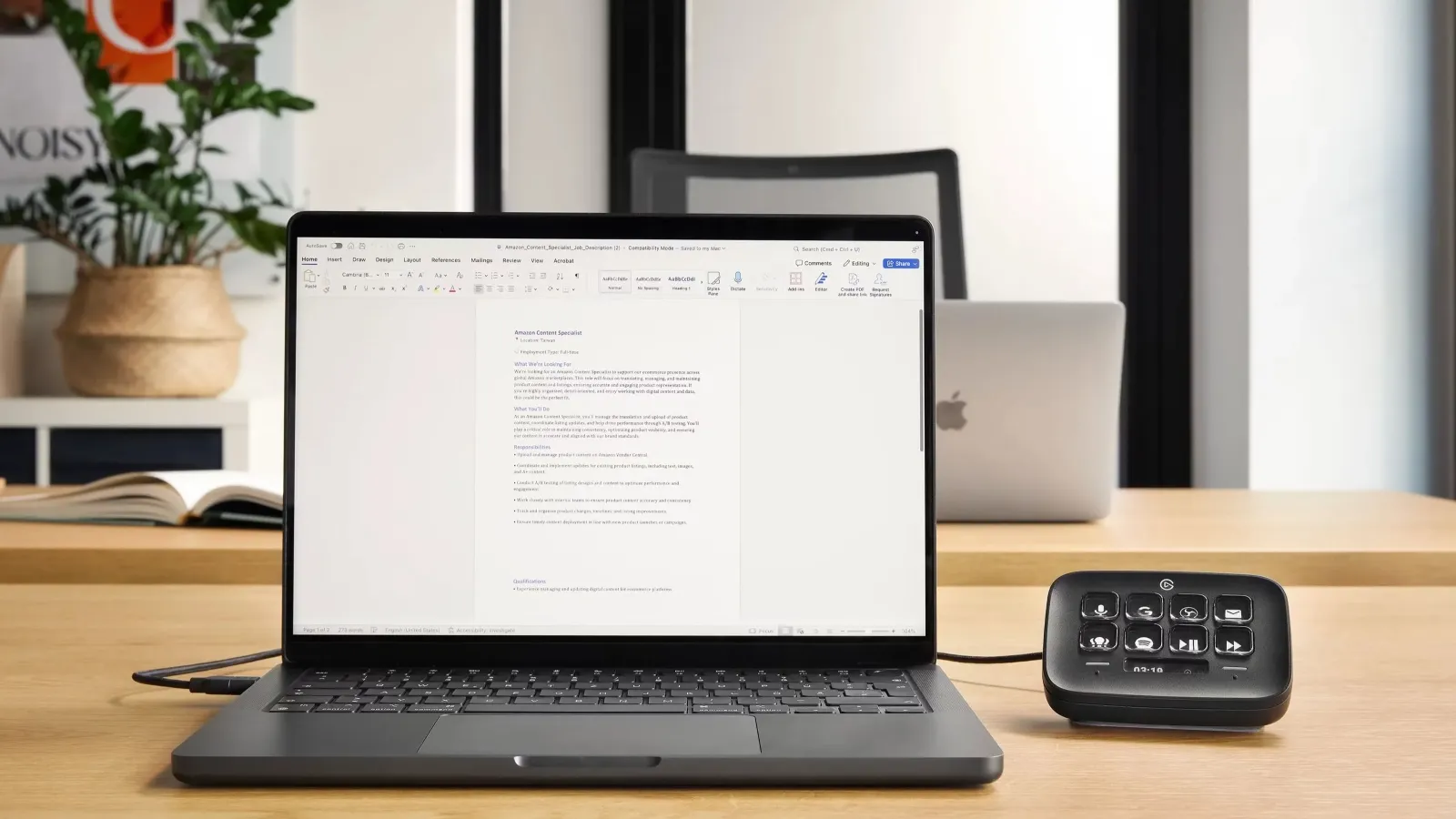
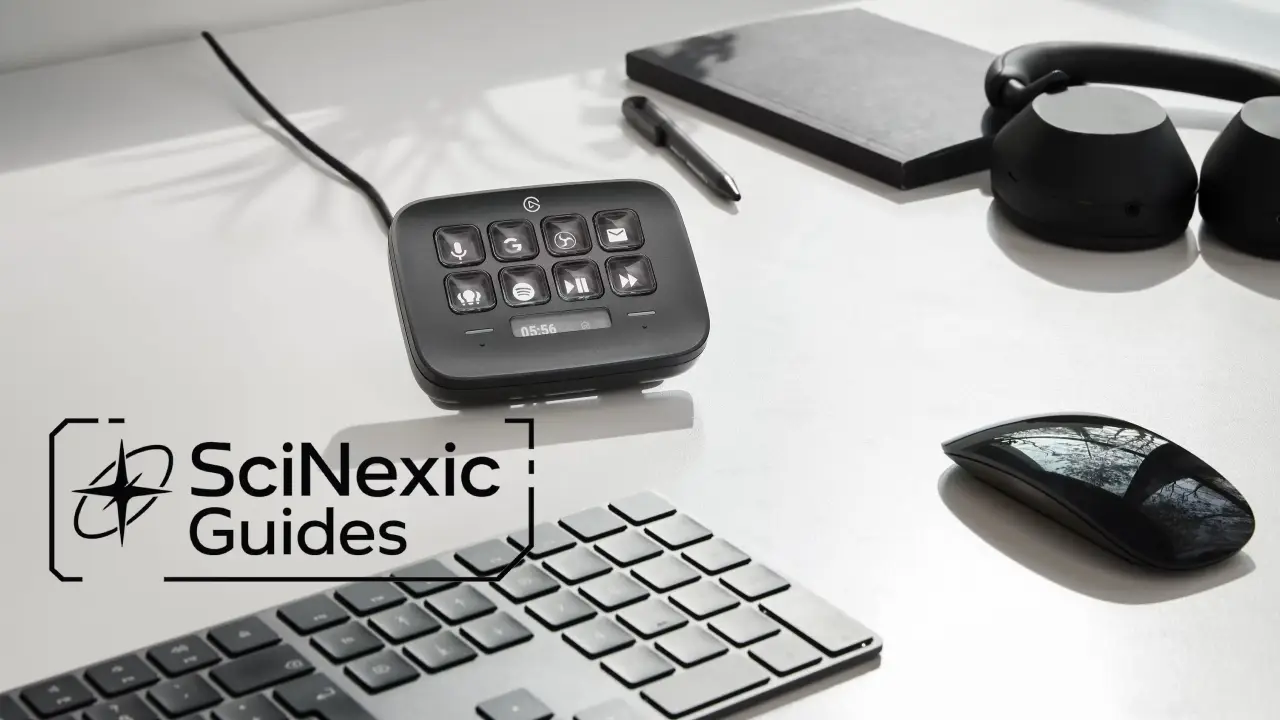
The Neo offers a tiny desk upgrade that feels huge — one tap to launch scenes, apps, macros, and momentum. Credit: Elgato
For a creator, that might mean launching a recording workspace, triggering supported software functions or gathering familiar shortcuts into a task-specific layout.
The qualification is “supported”. Application integration, plug-ins and configuration determine what a button can actually accomplish.
SciNexic buying advice: write down five actions you repeatedly perform. If ordinary keyboard shortcuts already handle them comfortably, keep your money. Buy a control surface when it removes friction—not merely because the desk needs more glowing buttons.
What Should You Buy First?
Let the project decide:
Starting a review channel or podcast? Prioritise recording technique, monitoring and intelligible speech.
Making short films? Establish a manageable editing process and dependable storage before chasing a flagship computer.
Creating artwork or motion graphics? Assess workspace and application requirements.
Already publishing regularly? Consider automation once repetition becomes a measurable frustration.
Choose one improvement, complete another project, and reassess. Avoid turning a useful shortlist into a compulsory shopping basket.
SciNexic's Recommendation
A creator’s studio does not need to resemble the bridge of the Enterprise. It needs to help you make decisions, preserve your work and finish what you started.
The microphone should capture the thought. The screen should support the edit. The computer should meet the workload. The backup should survive the mistake.
The most valuable piece of creator technology is the one that helps another imagined world become something people can finally see—or hear.
For more space sci-fi tech, reviews, and news, keep your sensors locked on Scinexic.com. The galaxy awaits!
Every imagined universe begins somewhere surprisingly ordinary: a notebook, a spare room, a timeline filled with unfinished clips.
The challenge is turning that first idea into something another person can experience. Perhaps you are recording a discussion about The Expanse, making a short film about an abandoned research station, or building a channel around science-fiction art and analysis.
The right equipment should shorten the distance between imagination and finished work. It should not become a second project.
Essential tech for creators is about solving the next problem—not buying an entire studio at once. This researched shortlist follows that principle, covering recording, editing, computing, colour, storage and control. These are recommendations based on documented capabilities and practical use cases.
The Creator’s Shortlist
What needs improving? | Technology to consider | Buying priority |
|---|---|---|
Spoken-word recording | RØDE PodMic USB | Early, if voice is central to your work |
Editing and post-production | DaVinci Resolve | Try the free edition first |
Demanding work away from home | ASUS ProArt GoPro Edition PX13 | Only when your current computer limits you |
A dedicated editing workspace | BenQ PD2706UA | For regular desk-based production |
Project storage | Samsung Portable SSD T9 | Alongside a separate backup plan |
Repetitive controls | Elgato Stream Deck Neo | A later workflow upgrade |
1. RØDE PodMic USB: Give Your Ideas a Clear Voice
A convincing spaceship interior is impressive. A narrator who sounds as though they are speaking from inside a cupboard is less so.
The RØDE PodMic USB is a useful starting point for reviews, interviews and voiceovers. It combines USB connectivity for direct computer recording with an XLR output for a compatible interface or mixer. Its headphone connection provides direct monitoring, while the USB path includes onboard processing.
The PodMic: a desk‑friendly powerhouse that makes any setup feel intentional — plug in, shape your sound, start creating. Credit: RØDE
That flexibility matters. You can begin without a separate audio interface and retain the microphone if your setup later becomes more elaborate.
The limitation is equally important: a better microphone cannot make the room irrelevant. RØDE’s recording guidance recommends controlling reflective surfaces and positioning microphones appropriately rather than relying on equipment alone.
SciNexic buying advice: budget for a suitable stand or arm and monitor a short test recording before committing to an entire episode. Improve placement before adding aggressive processing.
2. DaVinci Resolve: Start Building Before Paying More
Before buying another piece of hardware, establish what your software already allows you to do.
DaVinci Resolve combines editing, colour work, Fusion visual effects and Fairlight audio post-production. Blackmagic offers a free edition alongside the paid Studio version. Its published comparison describes free-edition finishing at resolutions up to Ultra HD, at up to 60 frames per second.
Resolve is fast, flexible, and built for momentum — a digital tool that keeps up with creators who never slow down. Credit: Blackmagicdesign.com
For a sci-fi creator, that is a substantial starting point: assemble a video essay, construct an interface graphic, refine dialogue and establish a visual mood within one application.
However, “free” does not mean identical support for every workflow. Codec, bit-depth and hardware-acceleration capabilities can differ by edition and platform; Studio also adds advanced effects and processing tools. Check your actual footage before planning a project around a feature.
SciNexic buying advice: complete a small project in the free edition first. Upgrade when you can name the capability you need—not simply because “Studio” sounds more professional.
3. ASUS ProArt GoPro Edition PX13: A Mobile Production Base
Some creators need a workstation that stays put. Others need to review footage, sketch and edit wherever the material takes them.
The ASUS ProArt GoPro Edition PX13 is a premium option for the second group. ASUS specifies an AMD Ryzen AI Max+ 395 processor, 128 GB of unified memory and an OLED display within a compact convertible design.
The attraction is consolidation: a portable machine intended to accommodate demanding creative work without requiring a conventional desktop setup. SciNexic’s dedicated ProArt PX13 feature explores that proposition in more detail.
The ProArt GoPro Edition PX13. By ASUS UK. From @ASUSUK
But a powerful configuration is not automatically the right purchase. A creator assembling straightforward commentary videos has different requirements from somebody working with complex effects or large 3D scenes.
SciNexic buying advice: identify the actual constraint first. Is playback slow, memory exhausted, or portability essential? Check application and plug-in compatibility, then compare the GoPro edition’s extras with what you genuinely need. Branding is not a performance requirement.
4. BenQ PD2706UA: Give the Edit Room to Breathe
A small laptop screen may suit travelling. It need not be your only workspace at home.
The BenQ PD2706UA provides a 27-inch 4K display with an ergonomic arm and USB-C connectivity. BenQ specifies 95% P3 coverage and USB-C power delivery up to 90 W. These are manufacturer specifications, not independent SciNexic measurements.
The BenQ PD2706UA exudes Clean lines, quiet hardware, and a display that elevates the room without shouting for attention. Credit: BenQ
For editing, artwork and motion graphics, the appeal is a dedicated working surface: room for a preview, timeline and controls without constantly rearranging windows.
The useful question is not whether it looks spectacular in a promotional photograph. It is whether the display supports the material and delivery format you work with.
Equipped with 4K UHD clarity, Pantone‑validated colour, and a precision arm that positions the display exactly where your workflow needs it. Credit: BenQ
SciNexic buying advice: check that the supplied arm fits your desk and that your laptop supports the intended USB-C connection. Confirm charging requirements separately; 90 W is not a promise that every workstation laptop can run at full capability from the monitor alone.
5. Samsung Portable SSD T9: Protect the Work Behind the World
The least cinematic item on the desk may be the one that matters most when a deadline approaches.
Samsung’s Portable SSD T9 is worth considering for portable project storage. The 2 TB model lists sequential speeds up to 2,000 MB/s read and 1,950 MB/s write, using USB 3.2 Gen 2x2. Treat those figures as conditional maximums, not guaranteed performance through any USB-C port.
The T9 is a compact data vault built for creators who treat storage like mission‑critical infrastructure. Credit: Samsung
A project drive, however, is not automatically a backup. If the only copy of your film lives on it, you still have one copy.
CISA’s published 3-2-1 approach recommends three copies of important data, across two media types, with one copy stored offsite. (cisa.gov)
SciNexic buying advice: plan capacity and backups together. Preserve source files, project files and finished exports, and check that you can restore them. The fastest drive is little comfort if the only copy disappears.
6. Elgato Stream Deck Neo: A Small Control Panel With a Purpose
Here is the upgrade most likely to satisfy the desire for a miniature starship console.
The Elgato Stream Deck Neo provides eight customisable keys for managing applications and automating tasks. Its value comes from assigning frequently repeated actions to recognisable physical controls.
The Neo offers a tiny desk upgrade that feels huge — one tap to launch scenes, apps, macros, and momentum. Credit: Elgato
For a creator, that might mean launching a recording workspace, triggering supported software functions or gathering familiar shortcuts into a task-specific layout.
The qualification is “supported”. Application integration, plug-ins and configuration determine what a button can actually accomplish.
SciNexic buying advice: write down five actions you repeatedly perform. If ordinary keyboard shortcuts already handle them comfortably, keep your money. Buy a control surface when it removes friction—not merely because the desk needs more glowing buttons.
What Should You Buy First?
Let the project decide:
Starting a review channel or podcast? Prioritise recording technique, monitoring and intelligible speech.
Making short films? Establish a manageable editing process and dependable storage before chasing a flagship computer.
Creating artwork or motion graphics? Assess workspace and application requirements.
Already publishing regularly? Consider automation once repetition becomes a measurable frustration.
Choose one improvement, complete another project, and reassess. Avoid turning a useful shortlist into a compulsory shopping basket.
SciNexic's Recommendation
A creator’s studio does not need to resemble the bridge of the Enterprise. It needs to help you make decisions, preserve your work and finish what you started.
The microphone should capture the thought. The screen should support the edit. The computer should meet the workload. The backup should survive the mistake.
The most valuable piece of creator technology is the one that helps another imagined world become something people can finally see—or hear.
For more space sci-fi tech, reviews, and news, keep your sensors locked on Scinexic.com. The galaxy awaits!
Every imagined universe begins somewhere surprisingly ordinary: a notebook, a spare room, a timeline filled with unfinished clips.
The challenge is turning that first idea into something another person can experience. Perhaps you are recording a discussion about The Expanse, making a short film about an abandoned research station, or building a channel around science-fiction art and analysis.
The right equipment should shorten the distance between imagination and finished work. It should not become a second project.
Essential tech for creators is about solving the next problem—not buying an entire studio at once. This researched shortlist follows that principle, covering recording, editing, computing, colour, storage and control. These are recommendations based on documented capabilities and practical use cases.
The Creator’s Shortlist
What needs improving? | Technology to consider | Buying priority |
|---|---|---|
Spoken-word recording | RØDE PodMic USB | Early, if voice is central to your work |
Editing and post-production | DaVinci Resolve | Try the free edition first |
Demanding work away from home | ASUS ProArt GoPro Edition PX13 | Only when your current computer limits you |
A dedicated editing workspace | BenQ PD2706UA | For regular desk-based production |
Project storage | Samsung Portable SSD T9 | Alongside a separate backup plan |
Repetitive controls | Elgato Stream Deck Neo | A later workflow upgrade |
1. RØDE PodMic USB: Give Your Ideas a Clear Voice
A convincing spaceship interior is impressive. A narrator who sounds as though they are speaking from inside a cupboard is less so.
The RØDE PodMic USB is a useful starting point for reviews, interviews and voiceovers. It combines USB connectivity for direct computer recording with an XLR output for a compatible interface or mixer. Its headphone connection provides direct monitoring, while the USB path includes onboard processing.
The PodMic: a desk‑friendly powerhouse that makes any setup feel intentional — plug in, shape your sound, start creating. Credit: RØDE
That flexibility matters. You can begin without a separate audio interface and retain the microphone if your setup later becomes more elaborate.
The limitation is equally important: a better microphone cannot make the room irrelevant. RØDE’s recording guidance recommends controlling reflective surfaces and positioning microphones appropriately rather than relying on equipment alone.
SciNexic buying advice: budget for a suitable stand or arm and monitor a short test recording before committing to an entire episode. Improve placement before adding aggressive processing.
2. DaVinci Resolve: Start Building Before Paying More
Before buying another piece of hardware, establish what your software already allows you to do.
DaVinci Resolve combines editing, colour work, Fusion visual effects and Fairlight audio post-production. Blackmagic offers a free edition alongside the paid Studio version. Its published comparison describes free-edition finishing at resolutions up to Ultra HD, at up to 60 frames per second.
Resolve is fast, flexible, and built for momentum — a digital tool that keeps up with creators who never slow down. Credit: Blackmagicdesign.com
For a sci-fi creator, that is a substantial starting point: assemble a video essay, construct an interface graphic, refine dialogue and establish a visual mood within one application.
However, “free” does not mean identical support for every workflow. Codec, bit-depth and hardware-acceleration capabilities can differ by edition and platform; Studio also adds advanced effects and processing tools. Check your actual footage before planning a project around a feature.
SciNexic buying advice: complete a small project in the free edition first. Upgrade when you can name the capability you need—not simply because “Studio” sounds more professional.
3. ASUS ProArt GoPro Edition PX13: A Mobile Production Base
Some creators need a workstation that stays put. Others need to review footage, sketch and edit wherever the material takes them.
The ASUS ProArt GoPro Edition PX13 is a premium option for the second group. ASUS specifies an AMD Ryzen AI Max+ 395 processor, 128 GB of unified memory and an OLED display within a compact convertible design.
The attraction is consolidation: a portable machine intended to accommodate demanding creative work without requiring a conventional desktop setup. SciNexic’s dedicated ProArt PX13 feature explores that proposition in more detail.
The ProArt GoPro Edition PX13. By ASUS UK. From @ASUSUK
But a powerful configuration is not automatically the right purchase. A creator assembling straightforward commentary videos has different requirements from somebody working with complex effects or large 3D scenes.
SciNexic buying advice: identify the actual constraint first. Is playback slow, memory exhausted, or portability essential? Check application and plug-in compatibility, then compare the GoPro edition’s extras with what you genuinely need. Branding is not a performance requirement.
4. BenQ PD2706UA: Give the Edit Room to Breathe
A small laptop screen may suit travelling. It need not be your only workspace at home.
The BenQ PD2706UA provides a 27-inch 4K display with an ergonomic arm and USB-C connectivity. BenQ specifies 95% P3 coverage and USB-C power delivery up to 90 W. These are manufacturer specifications, not independent SciNexic measurements.
The BenQ PD2706UA exudes Clean lines, quiet hardware, and a display that elevates the room without shouting for attention. Credit: BenQ
For editing, artwork and motion graphics, the appeal is a dedicated working surface: room for a preview, timeline and controls without constantly rearranging windows.
The useful question is not whether it looks spectacular in a promotional photograph. It is whether the display supports the material and delivery format you work with.
Equipped with 4K UHD clarity, Pantone‑validated colour, and a precision arm that positions the display exactly where your workflow needs it. Credit: BenQ
SciNexic buying advice: check that the supplied arm fits your desk and that your laptop supports the intended USB-C connection. Confirm charging requirements separately; 90 W is not a promise that every workstation laptop can run at full capability from the monitor alone.
5. Samsung Portable SSD T9: Protect the Work Behind the World
The least cinematic item on the desk may be the one that matters most when a deadline approaches.
Samsung’s Portable SSD T9 is worth considering for portable project storage. The 2 TB model lists sequential speeds up to 2,000 MB/s read and 1,950 MB/s write, using USB 3.2 Gen 2x2. Treat those figures as conditional maximums, not guaranteed performance through any USB-C port.
The T9 is a compact data vault built for creators who treat storage like mission‑critical infrastructure. Credit: Samsung
A project drive, however, is not automatically a backup. If the only copy of your film lives on it, you still have one copy.
CISA’s published 3-2-1 approach recommends three copies of important data, across two media types, with one copy stored offsite. (cisa.gov)
SciNexic buying advice: plan capacity and backups together. Preserve source files, project files and finished exports, and check that you can restore them. The fastest drive is little comfort if the only copy disappears.
6. Elgato Stream Deck Neo: A Small Control Panel With a Purpose
Here is the upgrade most likely to satisfy the desire for a miniature starship console.
The Elgato Stream Deck Neo provides eight customisable keys for managing applications and automating tasks. Its value comes from assigning frequently repeated actions to recognisable physical controls.
The Neo offers a tiny desk upgrade that feels huge — one tap to launch scenes, apps, macros, and momentum. Credit: Elgato
For a creator, that might mean launching a recording workspace, triggering supported software functions or gathering familiar shortcuts into a task-specific layout.
The qualification is “supported”. Application integration, plug-ins and configuration determine what a button can actually accomplish.
SciNexic buying advice: write down five actions you repeatedly perform. If ordinary keyboard shortcuts already handle them comfortably, keep your money. Buy a control surface when it removes friction—not merely because the desk needs more glowing buttons.
What Should You Buy First?
Let the project decide:
Starting a review channel or podcast? Prioritise recording technique, monitoring and intelligible speech.
Making short films? Establish a manageable editing process and dependable storage before chasing a flagship computer.
Creating artwork or motion graphics? Assess workspace and application requirements.
Already publishing regularly? Consider automation once repetition becomes a measurable frustration.
Choose one improvement, complete another project, and reassess. Avoid turning a useful shortlist into a compulsory shopping basket.
SciNexic's Recommendation
A creator’s studio does not need to resemble the bridge of the Enterprise. It needs to help you make decisions, preserve your work and finish what you started.
The microphone should capture the thought. The screen should support the edit. The computer should meet the workload. The backup should survive the mistake.
The most valuable piece of creator technology is the one that helps another imagined world become something people can finally see—or hear.
For more space sci-fi tech, reviews, and news, keep your sensors locked on Scinexic.com. The galaxy awaits!
Image Gallery
Comments
Please be kind and considerate. Any abusive or offensive comments will be sent out the airlock! Thank You.
Please be kind and considerate. Any abusive or offensive comments will be sent out the airlock! Thank You.

Join the SciNexic Crew
Related Posts
Share on Twitter
Share on Instagram
Share on Twitter
Share on Instagram
Banner Image - Elgato Stream Deck Neo promo image - www.elgato.com - Copyright: Elgato
Main Article - All images and media are the property of their respective owners.